
Pokemon GO does not have a Health Center, where you can take your Pokemon for healing. So it becomes difficult to know how to restore your Pokemon’s HP in the game. But, no worries, as this article has covered everything you need to know to heal your Pokemon in Pokemon GO.
Pokemon GO: How to Restore, Revive or Heal Pokemon
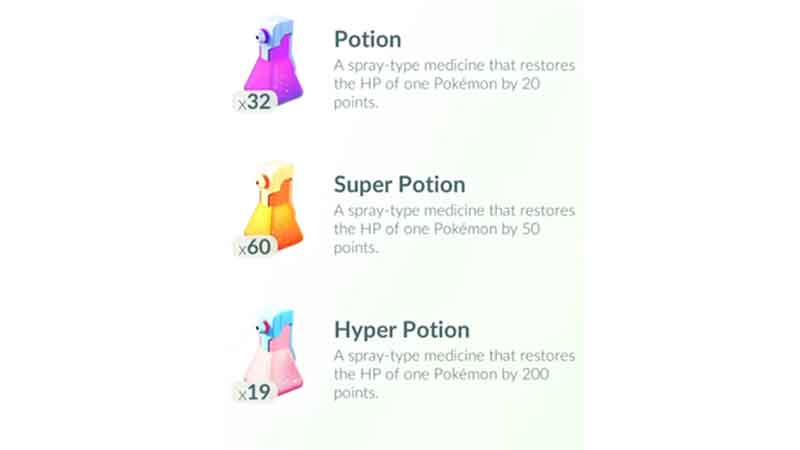
As of now, the only way to heal your low HP Pokemon is through Potion. And fainted Pokemon through Revive and Power Up. For now, there are three types of Potions; Potion that heals HP by 20 points, Super Potion that will give 50 points, and Hyper Potion that increases HP points by 200. Apart from that, there are Revive and Max Revive, where standard Revive gives 50 percent of HP, and Max Revive will fully restore your HP. And here are the steps to use them.
- Open your Pokemon GO app, and go to the Map view.
- From there, select the Main Menu, which is a PokeBall at the bottom of your screen.
- Now tap on the Pokemon icon, and it will take you to the list of your Pokemons.
- Scroll and search for the Pokemon you want to heal, and click on the Pokemon to open its detail.
- On the bottom right corner, you will see a list icon, tap on it and choose Items.
- Choose Potion, Super Potion, Hyper Potion, Revive, or Max Revive.
- Your Pokemon will restore its HP.
As Revive potions are harder to obtain in comparison to Heal potions, you can use this trick to turn your fainted Pokemon into low HP Pokemon. This method might not work for everyone, but it is worth a try.
- Open your Pokemon GO app and choose Main Menu from Map view.
- Tap on the Pokemon button, and you will see a list of your Pokemons, scroll and look for the one you want to Revive.
- Go to that Pokemons Info window and tap on the Power Up button, it will restore Pokemon’s HP by a few points.
- Now, you can follow the steps shown above to use the HP Potions and restore the health of your Pokemon.
This is all you need to do to heal your Pokemon in Pokemon GO. Hopefully, this was helpful, if it was, then check out how to hatch Riolu and how to get Super Rocket Radar.