
Smite is available on multiple platforms like Xbox One, Amazon Luna, and PlayStation, due to which switching device becomes smooth. But you first need to link accounts to access your data from other devices. Are you wondering how to do that? Then follow this guide and learn how to link accounts and Cross-Progression in Smite.
How to Link Accounts and Use Cross-Progression in Smite
Smite not only lets you link your account but also supports Cross-Progression. Cross-Progression lets you merge your accounts from all available platforms and sets the account level to the highest among all linked accounts. Plus, it will add together all the Gems owned in different accounts. So without any further delay, let us now jump to the steps.
- Go to any browser from your PC and search for Hi-Rez Studios official website.
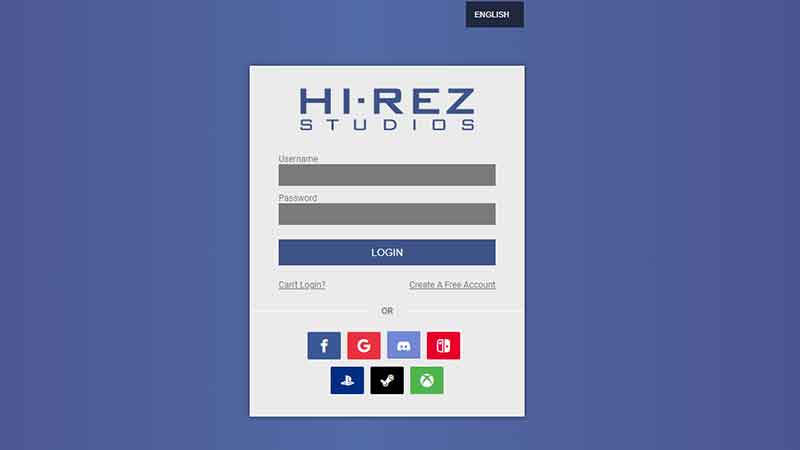
- On the upper right corner of your screen is a profile icon. Tap on it, and it will take you to the login page.
- Type your Username and Password to login into your Hi-Rez account or use Facebook, Google, Discord, Nintendo, PlayStation, Steam, and Xbox accounts.
- Now, you will be directed to an Account info page. And on the left side of this page are some options, including Linked Account.
- Choose the “Linked Accounts” option.
- There are Epic Games, Discord, Mixer, Nintendo, Steam, PlayStation, Xbox, Twitch, Facebook, and Google accounts. All these options will have a “Link Account” option below them.
- Select anyone and tap “Link Account“. Then you will be required to fill in your account details for any of the above platforms. Complete the process, and authorize.
- Once you have successfully linked an account, it will take you back to the Linked Accounts page. Now repeat the process and link all your accounts.
That is all you need to do to link accounts and Cross-Progression in Smite. If this article was helpful. Also, read how to get Map Fragments and how to jungle.