
Valorant is a massively popular game that has a huge following. However, this can also mean that players are often subject to errors and bugs. Some of these errors are easily fixed while others have to be fixed from the developer’s end. Error Code Val 59 is one such error that is frequently experienced by players in Valorant. Today, we will explain in detail what the error code val 59 is and how Valorant players can fix it.
How To Fix Valorant Error Code Val 59?
Error Code Val 59 occurs frequently after patches and updates in Valorant. It is an error that happens when the system cannot connect with the Valorant platform. When players experience this error in the game, they get the following message: “There is an error connecting to the platform. Please restart your game client”. Players looking to fix the Error code Val 59 only need to quit their game and restart it. This resolves the issue in the majority of cases. However, if players still experience a problem with the error, they can uninstall and re-install Valorant as well as Riot.
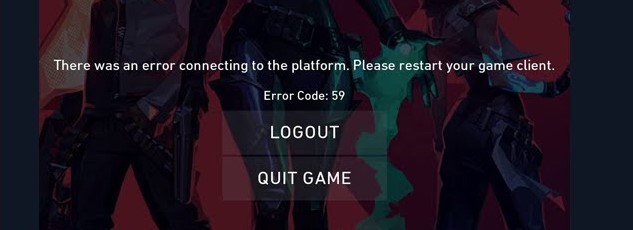
Below are the steps players need to follow in order to fix this error and enjoy Valorant uninterrupted.
- Close the current game by pressing Alt+F4
- If the game is not responding, players can access the Task Manager by pressing Alt+Ctrl+Del. This will give players the option to terminate Valorant as well as Riot.
- Once both applications are terminated, players should restart their devices.
- After rebooting the device, clear the cache before restarting Valorant.
- Run the game as normal. The error should be fixed after this.
- If this does not fix the error, players can uninstall Valorant and Riot and then re-install them.
The steps above should solve the error. However, if players continue to experience problems with the game, there are only a few things they can do. If the error is occurring due to a problem on the developer’s end, there is nothing a player can do to fix it. Meanwhile, players can also check for ISP server problems on their end. If players have been having troubles with other Valorant errors, here’s how to fix Error Code 40 and Error Code VAL 39.
Players looking to improve their Valorant gameplay might be interested in learning How To Use The Free ESP Hack In Valorant. For more Valorant content, check out Games Adda’s Valorant Guides.