
Spotify is one of the world’s largest music streaming platforms. It has a gigantic collection of songs that users can get lost in. However, at some point in time, users might want to look back through their Spotify history. Maybe it is to keep a track of their streaming or to find a song they heard a while ago. Whatever the reason, StatsforSpotify can help such users. It is a site that gives users the statistics of their activity on Spotify. Today, we will discuss whether StatsforSpotify is safe for use or not. We will also be looking into how you can use it to track your stats.
Is StatsForSpotify Safe To Use In 2022?
While StatsForSpotify is not affiliated with Spotify in any way, it seems that the site is safe for use. The site does store some account data but it is limited to the purpose of compiling the Spotify stats. It takes into account your top songs, artists, and genres that generate stats. This means that the site only takes the data necessary to create the stats. It doesn’t ask for unnecessary access.
Moreover, StatsforSpotifty has a high trust rating on Scamadvisor. The site is a dependable source for gauging site legitimacy. Therefore, it can be said that StatsforSpotify could be a trustworthy site. However, it is still a third-party site and users must employ discretion while dealing with such sites.
Now that you know that Stats For Spotify might be a safe option, you might want to know if it is free for use and how to use it.
Is StatsForSpotify Free To Use?
It is completely free to use. You do not need to make any sort of payment in form of subscriptions or purchases. In order to use the app, you simply need to sign in to Spotify through the site. The site makes its money solely through the ads running on its site. Therefore, you can just start using the site with a simple log-in.
How To Use StatsForSpotify?
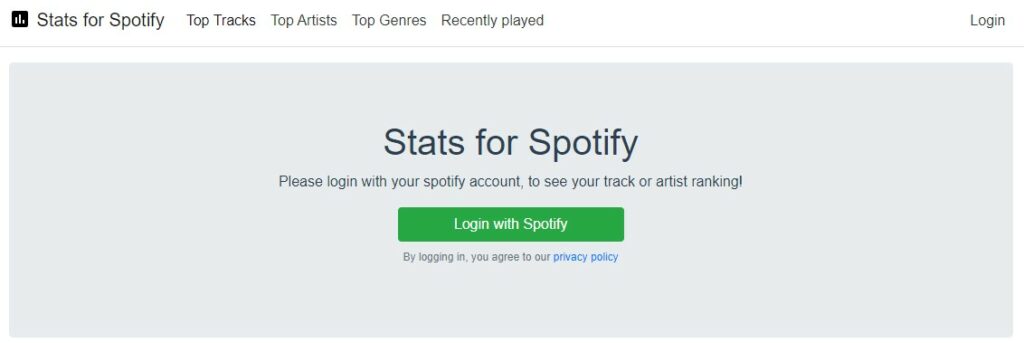
It is quite simple to start using StatsForSpotify. You just need to sign in to your Spotify account. Next, you will be directed towards the Top Tracks data. Moreover, you can also see the top artists and genres by clicking those options. The interesting thing is that you can choose how far back you want to go with the Stats.
While it can display data for a few weeks, it can also go back and get stats from the time the account was created. This is a pretty cool option as it lets you see how your song preferences have changed (or stayed the same) over time.
StatsForSpotify Not Working
There are plenty of users complaining that StatsForSpotify is not working for them and if that’s you then you must know that Spotify updates their stream counts once a day, which usually happens at 3:00 PM EST. However, this time could be different depending on your region.
What Stats Does It Track?
Stats for Spotify tracks various user data. It includes:
- Your Top Tracks
- Top artists
- Your Top Genre
- Listening History
- Your Last Visit
With the help of these statistics, the site can track how your music tastes vary over time.
This is everything you need to know about StatsForSpotify. For Spotify troubleshooting, check out How To Fix Spotify Friend Activity Not Working In 2022? and Why Does My Spotify Keeps Pausing? – Fix