
Apple has always prioritized the security and safety of its devices. Adhering to this fact they create everything from the application store to earphones with their technology. And allow only those apps and technology that follow their principle and process. So its App Store does not allow emulators, but many users want to use applications available on other operating systems. So here is how to download an Android emulator on iOS.
iOS: How to Download And Install Android Emulator
Can You Use Android Emulator in iOS
Emulators are a platform that allows hosts on guest platforms. To be precise, they let you use a system that is originally not part of your device. It lets you run and use applications of other operating systems. One of the most well-known emulators is Bluestack which allows you to use the Android app on computers by imitating the system. If you wish to emulate iOS software in Android, you will find many applications that let you perform it. But it is not the same with the iOS system as it does not allow such imitating apps on their store.
Where to Get Android Emulator Without Jailbreak
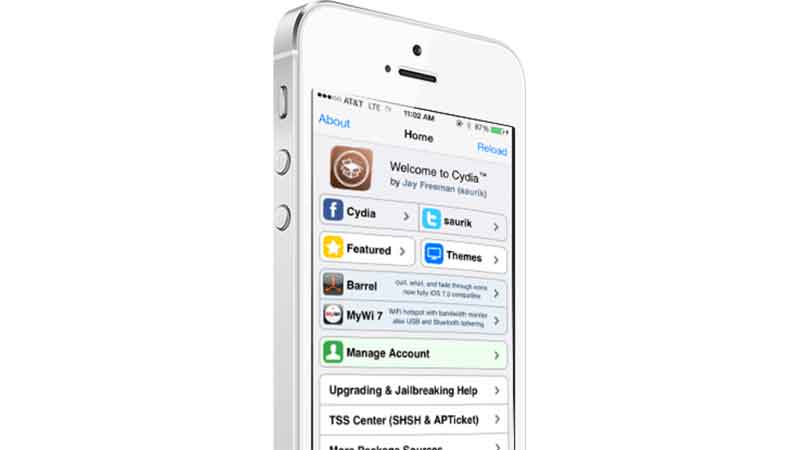
Several third-party applications let you download Android emulators in the iOS system. And they can be easily found on the internet. Some of the most well-known Android emulators are iAndroid, GBA4iOS, iEmulator, and Alien Dalvik emulator. And most of them are found in third-party installer applications like Cydia and AppValley.
Cydia can be found in google search. It supports almost all iOS systems, so check your version and install the application compatible with it. Once inside the application, go to the manage option placed at the bottom of your screen and choose Sources. It will show you the source, now use it to complete the download. And search for iAndroid or other emulators. Download it and start using Android. These are third-party apps whose security and safety are not guaranteed. The article is for knowledge purposes, So make sure you scan them after installation.
Hopefully, you were able to download the Android emulator on iOS without a jailbreak. Looking for more useful tech guides. Check out how to join JioGamesCloud and how to create Instagram reels on a desktop.