
There are plenty of games on the internet and in every game, you will face errors and issues some or other times. Right now many people on Roblox are facing an ‘Avatar not working’ or ‘blank Avatar‘ issue. If you are also facing the same error then don’t worry, we have created a guide explaining its solution in the simplest way possible.
How To Fix Avatar Not Working Issue On Roblox?
There can be several reasons for this issue. Here are all the possible reasons and their solution to fix Roblox Avatar not working in 2021.
Check Hardware Issue
Players usually experience Roblox Avatar not working issue because of poor hardware. If your RAM is weak or if it’s 90% or more full you might encounter this issue. It can also occur due to using poor Graphics Card. So before starting any Roblox game, make sure you have enough RAM empty to run any game without any interruption.
Clear Temporary Files
Try and create more space on your device for Roblox to run smoothly. Delete all the extra temporary files on your internet browser which may be occupying extra space. Also, clear cookies and try logging in again, and fix Roblox avatar not working issue.
Try to Re-draw Your Avatar
If your system is up to date but you are still getting blank avatar or avatar not working issue on Roblox then try and regenerate your avatar again.
To do this simply go to the Avatar section on Roblox and click on the ‘Click here to re-draw it!’ option on your screen. It will take a while now to draw your avatar again but hope it will fix the issue.
Check Roblox Server
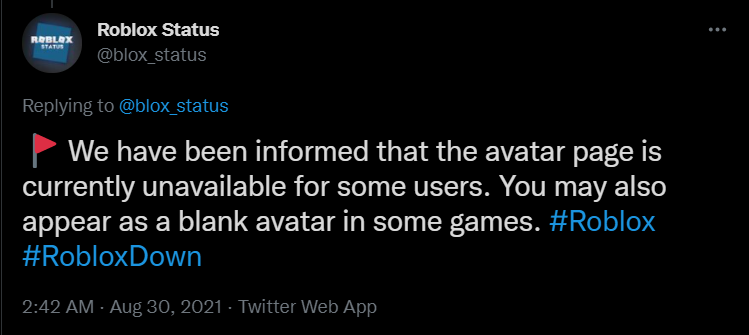
If the above solutions do not work, the problem might occur due to the Roblox server issue. You can get this or several more issues if the Roblox server is down. Check out the official Twitter handle of Roblox if they have posted anything about the maintenance break or server update timings and wait until it’s fixed.
That’s all you need to know about how to fix Roblox Avatar not working issue. Read more about how to fix errors while updating worn items on Roblox in another article.