
The thrill of a battle sometimes drains your Pokemon. And in order to heal and treat wounds, you can use items like such as Potions and Revives. However, at some point in the game, you somehow run out of one of these precious items. Well, in such cases, how will you revive your Pokemon without Revives in Pokemon Go? If you’re facing the same issue and in dire need to know a solution, you’ve landed in the right place.
In this guide, we have mentioned another way to revive your Pokemon and get it ready for the next battle below. Glance through this guide and prepare yourself for such situations to stay a step ahead.
How to Revive Pokemon without Revives in Pokemon Go?
It is quite natural to run out of revives because you need to grind in order to catch all the Pokemon in the wild. However, it is necessary to be in good shape too. Here, you will learn how to revive your Pokemon without revives in Pokemon Go.
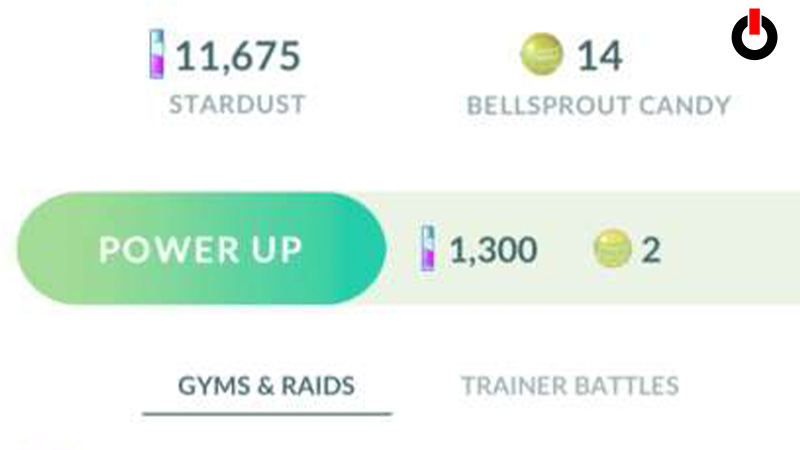
All you have to do to resuscitate your pocket monster is Power Up. If you power up a fainted Pokemon, it will breathe life into the Pokemon and make it conscious. It means it will increase the HP slightly above 0.
Once it is revived, you can use Potions and Candies to refill the HP bar to the brim. We have also mentioned the complete set of steps that will help you go through the process easily. Follow the steps given below.
- Launch Pokemon Go on your phone
- Click on the Pokeball icon
- Tap on the Pokemon Tab and select the fainted Pokemon
- Click on the Power Up button and click Ok
Now, looking at the screen, you will see the HP increased. This is how you can revive Pokemon without revives in Pokemon Go. Hopefully, this guide was helpful to you. While you’re here, you can go ahead and check out other similar articles such as How to Quick Catch in Pokemon Go? and How to Take a Snapshot?