
While playing Subway Surfers, you can sync your account with social platforms. This feature allows you to extend your boundaries in the game and take your gameplay to a whole new level. Well, in this guide, we have covered how to Connect Facebook to Subway Surfers. Hence, read along with this guide further to learn more about how you can do it.
How to Connect to Facebook in Subway Surfers?
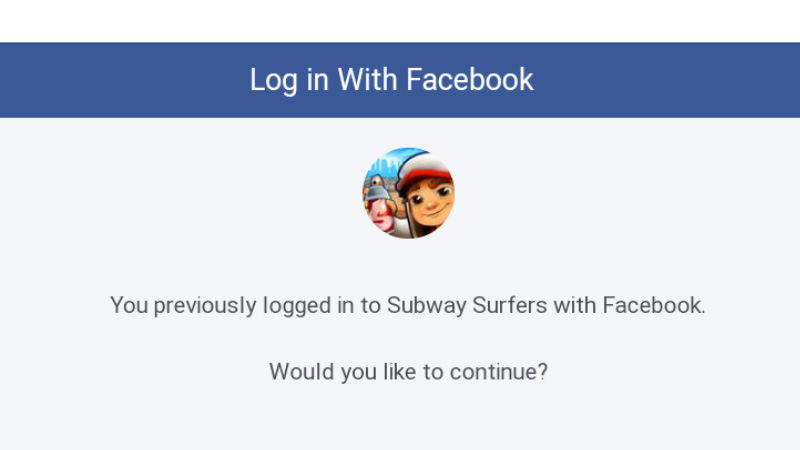
As you open the game, it is difficult to not notice how to Connect Facebook to Subway Surfers. Once you have linked your game account with Facebook on Android & iOS, you can unlock perks that can help you in the game. In order to do so, follow the steps mentioned below.
- Open Subway Surfers on your device
- Click on the Settings icon on the top right corner of the screen
- You will see the option to Connect Facebook or Google Play(Android) & Apple ID or Game Center(iOS)
- Click on the Connect button below Facebook
- Then click on Continue
In this way, you can Connect Facebook to the game on Android and iOS devices.
What are the Perks of Connecting to Facebook?
Once you have connected to Facebook, you can enjoy certain perks in the game. You can avail of exciting bonus rewards to join Facebook from Subway Surfers. You will receive the following rewards,
- Dino (Facebook Exclusive Character)
- Hoverboard (x25)
- Coins (x5k)
- Headstart (x5)
- Keys (x10)
Apart from that, you will be able to find and add your Facebook friends to the game. You can share your achievements on the social platform and flaunt your skills. Also, you can compete with your friends and give them a tough fight.
This is all you need to know about how to Connect Facebook to Subway Surfers. Hopefully, this guide was helpful to you. While you’re here, you can go ahead and browse through other similar articles such as How to Add Friends in Subway Surfers? and How to Get Jackpot?