
Star Trek Fleet Command is an intergalactic real-time game, where you can get your own spaceship and a crew of your choice. To advance in the game you are going to need several resources apart from the one you are farming. In this article, we’ll talk about how you can attack other players and loot their goods in Star Trek Fleet Command.
How to Attack Other Players in Star Trek Fleet Command
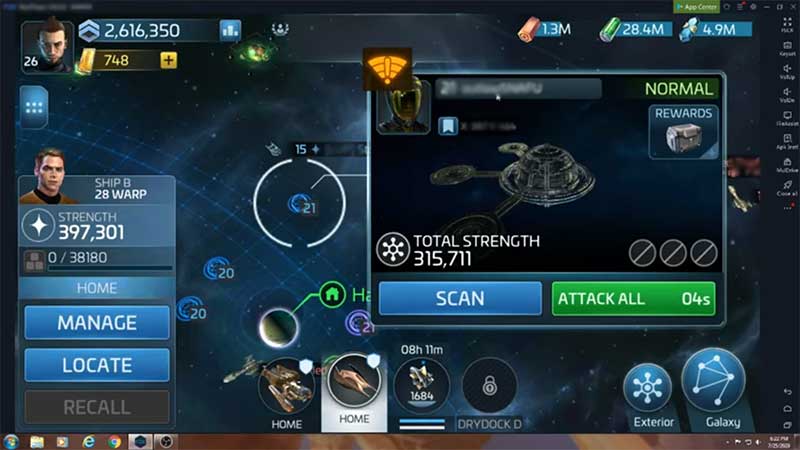
If you want to attack another player’s station you need to be at level 15 or above. But if you want to attack a player’s base that is on an enemy ship, you can do that at level 10 or above.
If you have an active shield and you attack other players then your shield will go down. So before attacking make sure you don’t have any active shield.
- Open your game and search throughout the galaxy for finding the player you want to attack.
- Once you have located the player click on that player’s station.
- A box will pop up showing all the details about that player.
- Beside the player’s picture is its level and name.
- If there are three letters in the bracket before the player’s name that means the player is in an alliance.
- Attacking alliance players can be tricky since their teammates might notice and attack you.
- You’ll also see “Total Strength” and “Rewards” options there.
- If you click on Rewards you’ll be able to see what you can get from that player.
- There is also a chance of you getting a PvP chest.
- On the same page you’ll see an option of “Scan“, click on it.
- You’ll see a window showing your ship vs that player’s ship
- If that other player has no ship stationed there, you’ll only see their station on the upper part of your screen.
- Now on the same page you’ll see an “Attack All” option.
- If the button is gray that means you are weak than that player.
- Game will put a 10-minute defense timer on base.
- After which you’ll be able to initiate your attack if the player hasn’t put up an extra shield timer before it.
Hope you were able to attack other players in Star Trek Fleet Command, if you did then do check out our other article best Star Trek Fleet Command crystal mining locations.