
The Sims Freeplay is a life simulation game where you create your virtual town and its citizens. These Sims are designed and destined by you. Many activities and tasks keep players engaged in this virtual world. Some of these tasks reward you with unique items and features. And in this guide, we will talk about one such task Simchase Challenge, and how to start it in The Sims Freeplay.
How to Start a Simachase Challenge in The Sims Freeplay
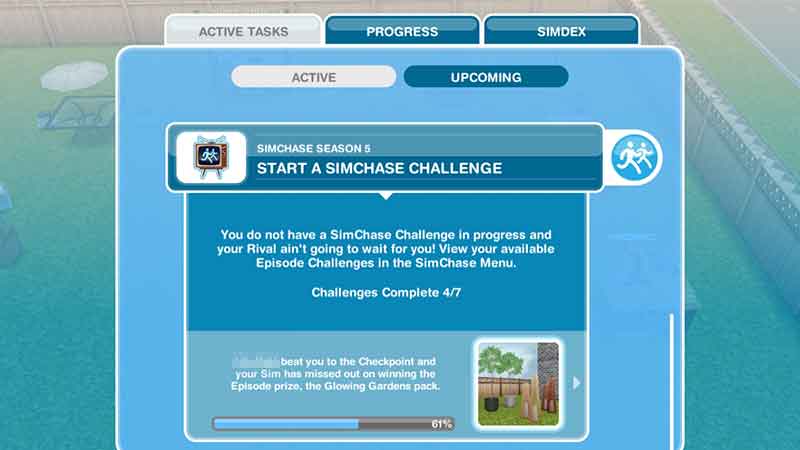
The Simchase event is one of the most awaited tasks. It triggers automatically and is a seven-day limited challenge. The challenge is divided into several episodes, and the first person to complete each episode will win prizes like furniture and tokens. And here is how to start this challenge.
- To check if this challenge is active or not. Go to the Active Tasks menu.
- You can access this menu by tapping on any sim and hitting the “Active Tasks” button on the bottom left side of your screen.
- Scroll down to find Simchase Season 1,2,3,4,5, and so on. Tap on it, and it will show you the first task, “Check-in at the Nightclub“. Completing which will commence your journey.
- Now tap on the location button from the bottom right side of your screen. Then select buildings icon.
- Scroll to the extreme right of the town. There you will see a Nightclub with an icon of dancing people. Tap on it.
- Once you enter the Nightclub, tap on the Simtracker and choose any free sim. Use the whistle on their info box to call them here.
- In front of the DJ and below the disco ball, you will see a guy in a red suit. Approach and tap on him.
- You will see the “SimChase Check-in” option, tap on it and wait for a few seconds. Now start your Simchase journey.
This is all you need to do to check in at the Nightclub and start the Simchase Challenge in The Sims Freeplay. If this article was informative for you. Then also read how to add friends and all quests in order.