
PUBG New States is a futuristic style multiplayer game that has got more than 40 million downloads in a very short time. It has great features, graphics, and amazing gameplay as compared to that of the BGMI and PUBG Global version. Now that the game is in its full swing there are going to be updates lined for the upcoming months.
In the new updates, there will be many new features and different items added to the game. But one of the sad parts about this update is that there will be many players whose accounts will be banned by the developers for various reasons. If your account is already banned or if it gets banned in the future then here is a guide for you to unban your PUBG New State account.
PUBG New State Unban Account Guide: Reasons And Fixes
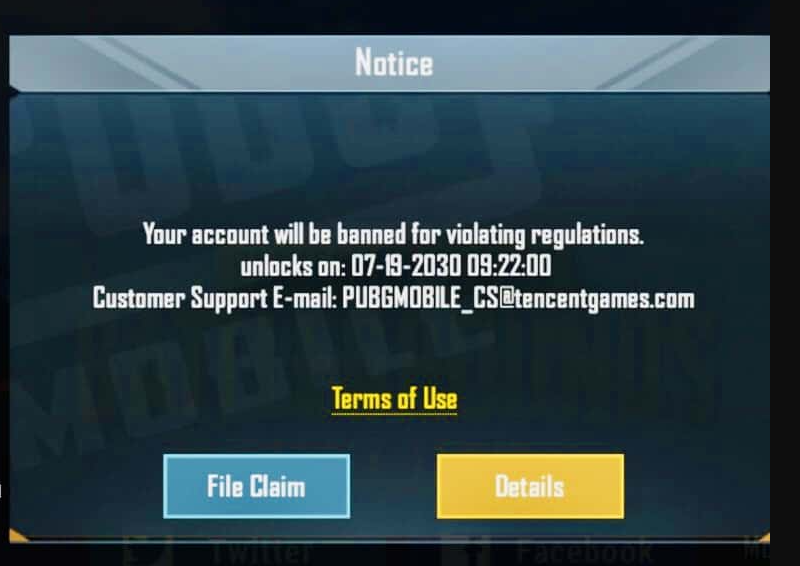
There can be various reasons for your account getting banned on PUBG New state. Check out the list below and see what is the reason behind your account getting banned.
List Of Reasons For Account Getting Banned
1. According to the recent tweet on PUBG New State News account, from the month of December accounts, will be banned if you backstab your teammate. Yes, if you knowingly or unknowingly kill any of your teammates in PUBG New State then your account will be banned temporarily.
2. If you are using any bot or logging in through any third-party app.
3. Using any hack to top up the in-game currency.
These are all the primary reasons for your account getting banned in PUBG New State. Basically, if you do not cheat or do not use any unauthorized things then you will never face this issue in PUBG New State or any other game.
How To Unban Your PUBG New State Account?
If your account ever gets banned then follow the steps written below to unban your PUBG New State account.
- Open PUBG NEw States and you will find see a message on your screen that says “Your Account Is Banned For Violating Regulations”.
- Now you will see two options below it. One is ‘Details’ that tell you the reason for your account getting banned. And the other option will be ‘File Claim’ a new small text box will open where you can write your justification and send it to the developers.
- There is one more option to reach the developers and explain to them how you aren’t the right person to get banned. You can simply write an email to the developers on their official ID and wait for their response or until your account is unbanned.
- Make sure you mention your Username while writing an email so as not to miss out on any requirement to get it unbanned.
This is everything you need to know about how to unban your PUBG New State account. While you are here check out another article on how to fix optimization problem in PUBG New State.