
Are you looking for a way to select multiple items or objects in Melon Playground, but nothing works? Then read this guide. Here we have discussed two methods that will help you complete the task. You can then copy, save and link multiple objects like bricks of the wall to create walls or parts of cars so that does not break.
How to Select Multiple Objects in Melon Playground
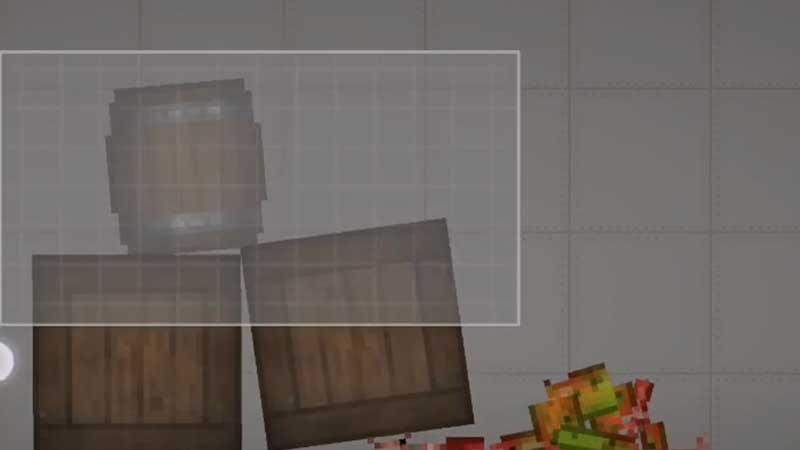
Double tap and hold your finger anywhere on the screen for about two seconds, then drag it to select multiple items in Melon Playground. Keep reading for detailed steps.
- Launch your Melon Playground game and go to the ground.
- Open the item menu and place two, three, or more objects on the ground. You can directly tap on the object or drag it to place it on the ground.
- Now look for a space, double tap there, and hold for two seconds. Drag and select all the items you want. You should drag it from one corner of the screen to cover everything.
- Now, you can go to the menu and make a copy or save them for future use.
Alternate Method
Some players have been complaining about how the above method is not working on their iOS devices. If you are one of them and it is not working for you. Then try this another method, suggested by Reddit user No-Flamingo3733.
- Open your game and go to the background.
- Place multiple objects using the items menu, and then press the video camera icon from the top right corner.
- You will get some options, select one with a bunch of squares.
- Now hold anywhere on the screen for two seconds, then drag to select multiple items in Melon Playground.
In this guide, you learned how to select multiple items in Melon Playground. If you are looking for more such interesting and knowledgeable articles. Read how to make a car and how to walk in MP.