
You will now be able to play Legendary Classic Minecraft.net Online. For fans of the game, this is amazing news, as you can play the goated blocky game for free. Especially considering the fact that the current version is pretty expensive. So, if you want to know how to play Minecraft online, scroll down and find out.
How to use and play Legendary Classic Minecraft.net Online?
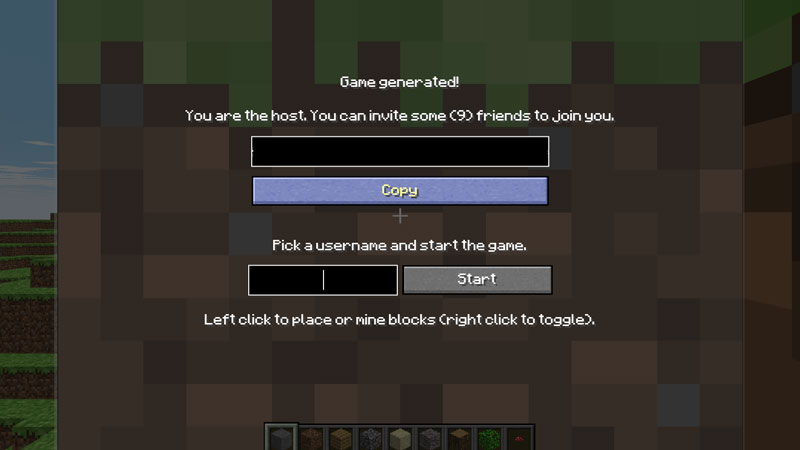
- To play Minecraft Online you will have to visit classic.minecraft.net.
- Once you do so, you will come across a screen like the one in the image given above.
- Just create a random username and enter it into the textbox.
- Now, click on Start and the game will generate an entire map.
- After this, do whatever you want in the game and enjoy!
Also Read: Minecraft PS5: How To Upgrade And Play On Next Gen Console?
Controls
- W: Move Forward
- S: Move Backwards
- A: Move Left
- D: Move Right
- Space: Jump
- B: Build objects
- T: Bring up the chatbox
- F: Toggle Fog
- Enter: Save current location
- R: Load saved location
You can use the numerical key row to choose between various types of blocks that you can build with. Combined with creative mode, you are in for a treat.
Legendary Classic Minecraft.net Features
Minecraft.net will allow you to relive the glory days of Minecraft when it was first released. The render is based on the earliest version of the game and is apparent from the visuals. Obviously, it is not as feature-heavy as the current version of the game. Additionally, Minecraft.net can only be played in Creative Mode. So, this allows for a much more laidback experience when playing the game.
This is everything that you need to know about Legendary Classic Minecraft.net. While you are here, you can have a look at How To Change Tick Speed In Minecraft?