
Epic Seven is a mobile turn-based RPG available on iOS and Android platforms. While it is quite easy to sign in and start playing the game on each platform, things become a little more complicated when you need to transfer your account in Epic Seven. In this guide, we will explain how you can transfer your account.
How To Transfer Account In Epic Seven?
Usually, Account types are not changeable once they have been linked to a particular login method. However, if you have an Apple ID account and wish to play it on an Android device instead, it is possible to do so.
Before we get into the process, it is essential to understand that there are multiple ways to create an Epic Seven account. You can create a STOVE account to play the game on your Android device or create an Apple ID for your iOS device. STOVE accounts can be made using email, Facebook, and Google. However, an Apple ID is exclusively available on iOS devices.
If you wish to transfer your Apple ID account to a STOVE account, you can follow the steps given below.
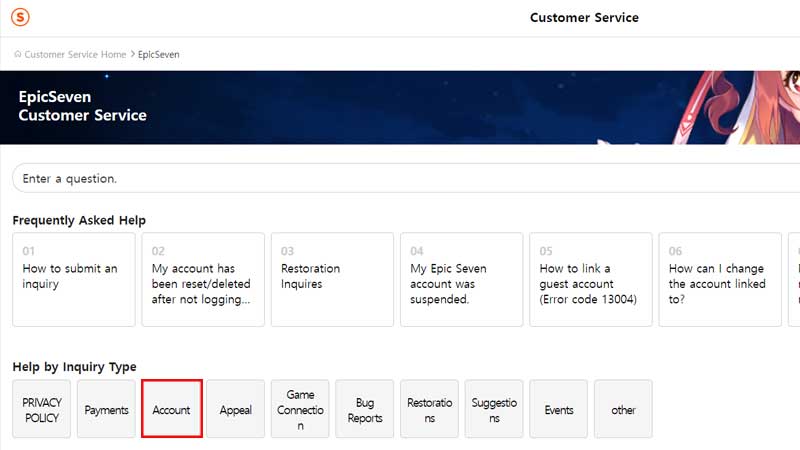
- First, go to the Epic Seven Customer Service on the STOVE site. The easiest way to do this is by typing Epic Seven Customer Service in Google. This will save you valuable time trying to find the correct destination on the site.
- Here, click on the Account option from the Help by Inquiry Type section.
- From the list of inquiries, choose “Can I play Epic Seven with my Apple ID on any Android devices?“
- Here, you will be given the option to transfer your Apple ID to the STOVE account.
- Click on the Inquire option. You will need to sign in to the site at this point.
- Send an inquiry to the Epic Seven team with your account (which you want to transfer to STOVE) logged in.
You can also send an inquiry through the in-game inquiry features asking for your account to be transferred from Apple ID to a STOVE account.
This is how you can transfer your account in Epic Seven. For more Epic Seven guides, check out Epic Seven: Best Team For Queen Azumashik Hell Raid.