
You can always summon and use different types of vehicles from your collection in Undawn. Even though you can run fast in a game, nothing beats the speed of vehicles, especially amid a zombie apocalypse. The game devs have smooth roads and pathways where you can take your car or bike for a spin and complete missions faster. We are here to show you everything you need to know about it.
How to Summon and Use Vehicles in Undawn
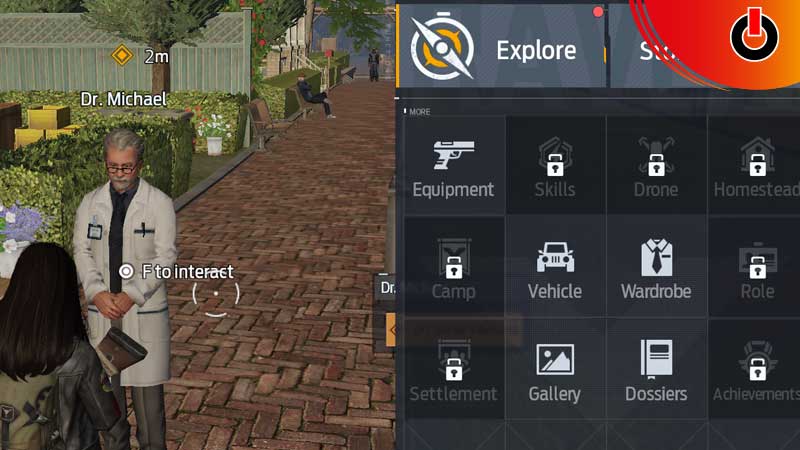
You can summon and use your vehicle in Undawn by going to the menu section on the top right of the game for mobile devices. However, for a PC or Laptop, you have to press the Tab button to summon your vehicle.
- You can also press the Esc button on your PC to open this menu.
- Choose the Vehicle option, then you will get to choose from the vehicles that you have unlocked or used before.
- After doing so go to Settings and select Key Layout, there you will get the option to Use the car or bike you want.
- Your selected vehicle will appear in front of you as you summon it, then you have to walk towards it and the game will give you an option to sit in it and use it.
- For mobile, you will receive the navigation button to drive the vehicle, while for PC you have to use the same arrow keys that you use to walk or run in the game.
- If you want to equip a new vehicle you have to find one and press F to repair the vehicle.
- Then you can add it to your collection and use it whenever you want.
How to Get Types of Vehicles in Undawn
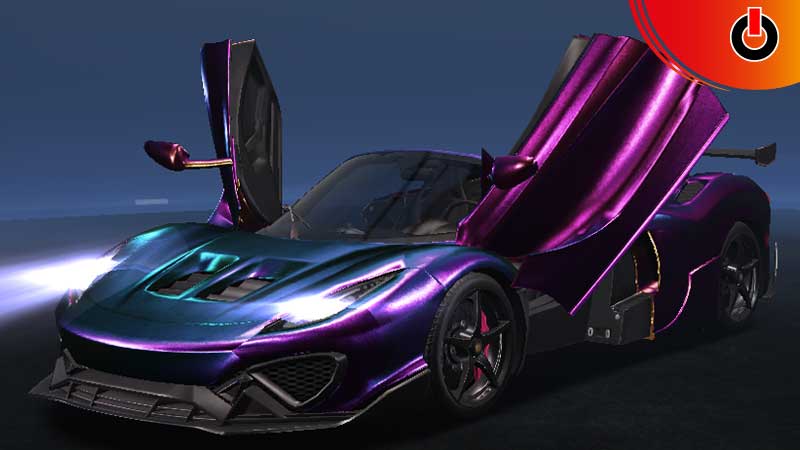
Furthermore, let’s look at the types of Vehicles that you can unlock in the Undawn and how –
Motorcycles
- Bullfighter Red: Unlocked in tutorial mission.
- Green Cavalier: Purchase
- Raven Wings GD: Purchase
- Raven Wings EB: Purchase
- Bullfighter BL: Can be crafted at level 5.
- Raven Wings EB: Is obtained upon first purchase.
- Raven Wings GD: Obtained by participating in Closed Beta Test.
Cars
- Brown Meteor: Purchase
- Gem Red Meteor: Purchase
- Iridescent Meteor: Purchase
- Blossom Hill: Special events.
- Lightning Bolt: Purchase
- Cobalt Blue Wave: Can be crafted at level 5.
Monster Trucks & Jeeps
- Green Bigfoot: A purchase bonus.
- Stone Mammoth: Purchase
- Metal Gray Wilderness Traveler: Can be crafted.
- Gray Blue Wilderness Traveler: Obtained through Operation Event.
- Electro Party: Purchase
- Blue 808: Crafted at the Mechanic Station.
This was all about how you can get vehicles and also summon and use them in the game. If you found this guide helpful, you can also check out how to get a territory locker for your Homestead in the Undawn.