
Instagram lets you connect with anyone in the world. It is a global platform with millions of users, and the number is increasing every hour. Today you can connect with your old school friend with the help of Instagram suggestions. And chat with them to know how and where they are. It helps you in restoring your connections. But for the past few days, many users have been facing an issue where their Instagram DMs are not working. If you are facing the same problem, then try these solutions.
How to Fix Instagram DMs Not Working Issue For Android & iOS Devices
Restart Application
This is the simplest solution that works for many. You just need to clear this app from your background, and then reopen it. You can try this two or three times and then restart your device for it to take effect.
Switch Account
If you use multiple accounts on your Instagram application, then try switching to other accounts. If you can send and receive messages from that account, then your device is not an issue. So go into the Instagram settings, tap on Help, and choose Report a Problem. Fill out the report and wait for a few days.
Switch Device
You can also try to login into your account from other devices. If the feature is working on other devices, then the problem might be arising from your device. So follow this next solution.
Clear Cache
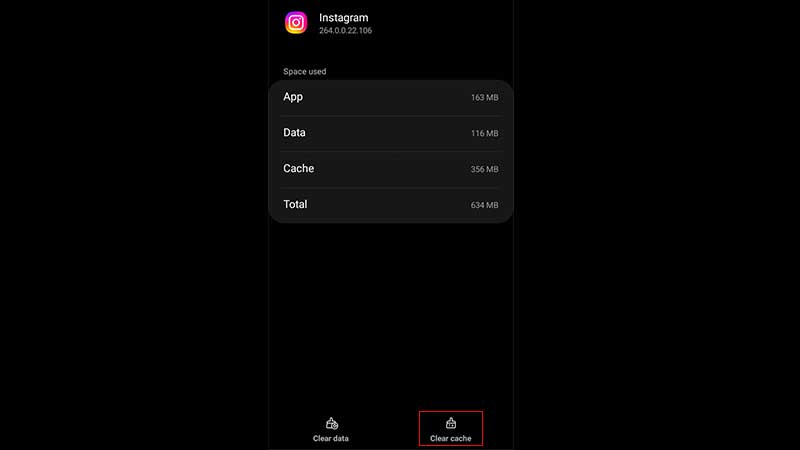
Caches are the culprit for many of your technical issues. So go to your Phone’s Settings, tap on the Apps option, and scroll to select Instagram. Depending on your device, you might see the Clear Cache option on the detail page or inside the Storage option of those details.
Update and Reinstall
Check for the update and if there is no update, then uninstall and reinstall your application. But this should be your last resort, as you will lose all your drafts by uninstalling your application.
Here you learned about all the possible fixes to solve Instagram DMs not working issue. Looking for more guides related to this application. Then check out how to fix the location not working and how to get the Crying filter.