
Glitch text fonts are a great way to attract attention to any content. However, many users do not know how to create a glitch text effect or what is the best generator to do so. If you also want your content to stand out, here is the best glitch text generator list that can help you out.
What Is The Best Glitch Text Generator?
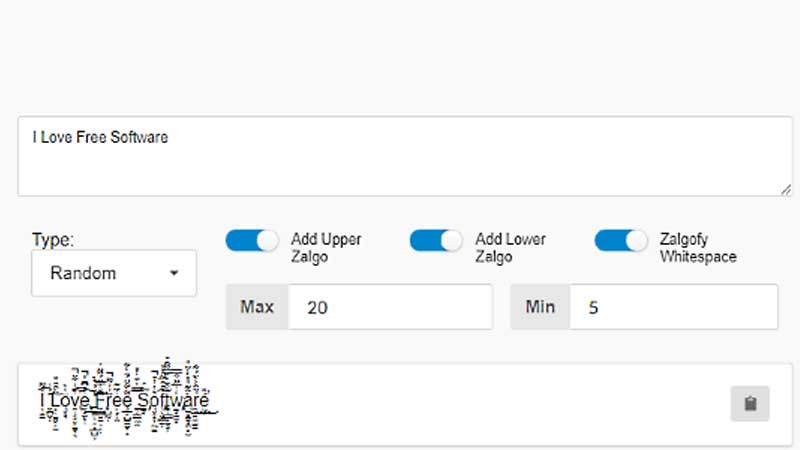
There are a number of options when it comes to choosing the best glitch text generator. Users can take a look at the list below and decide which text generator suits them the best.
1. Zalgo it: Horror And Matrix Effect
This is quite a unique text generator. It contains several effects that can give the text effects inspired by Horror and Matrix. Users can just type in the text and generate their desired effect. In addition, it is quite easy to use. It is compatible with Windows, Mac, and Linux.
2. Glitch (Zalgo) Text Generator
This is one of the popular glitch text generators. It is quite easy to use and users can simply copy and paste the finished product to their desired content. All users need to do is type in the text and adjust the options till they are happy with it. The generator offers many different glitch settings for users to test out. It is compatible with Windows, Mac and Linux.
3. Charramba – Glitch Type Generator
This is an easy to use glitch text generator. Much like the Glitch, users can just type in the text and generate the desired effect. In addition, users can even upload their own fonts if they do not like the many customizable effects available in the generator. Once users are done, they can download their glitched text as an PNG image. It is compatible with Windows, Mac and Linux.
4. Glitch Text Generator
This simple text generator is very easy to use. Users simply have to type in their text to be able to glitch it. They can choose the level of distortion for the text and then copy and paste the text to the appropriate content. However, there are not a lot of adjustment options available with this text generator. It is compatible with Windows, Mac and Linux.
5. UnZalgo Text & Glitch Generator
This is a text generator created specifically for Zalgo texts. Users will find this text generator easy to use and quick. Moreover, users can also use the UnZalgo function to remove the glitch effects and begin again. After they are done, users can paste their text to any other place the6y want to. While it is a good text and glitch generator, it is short on settings options. So, users might want to try on of the other options on the list if they want more customization for their content. This text generator is compatible with Windows, Mac and Linux.
6. Qwery Glitch Text Generator
This text generator offers a lot of unique customization settings. Users can choose from options like glitch shape and decide settings like Sine wave, slope up, slope down, classic etc. In addition, they can also set Character settings like All, up and down, up, mid, down, letters, bars etc. There are also unique font settings like default, fraktur, Monospace, Double Struck.
It is quite easy to use. However, the drawback for this generator is that users cannot copy the final text or use it outside of the application. It is also compatible with Windows, Mac and Linux.
These are the best glitch text generators that users can choose from. We hope it was hopeful for users to pick out the best option for them. For more content like this, check out Top Telegram Bots.