
Do you want to add Dancing Dragon to your inventory in Adopt Me? Dancing Dragon in Roblox Adopt Me is a legendary pet that almost all players are looking for. This legendary pet is a cute little baby Chinese dragon painted in red and yellow. It has a mustache, a nice tail, and a thorny structure on its back.
If you want to get this amazing pet, Dancing Dragon in Adopt Me then look no further as we have you covered. So, scroll down and check out the options for the same!
Adopt Me: How To Unlock Dancing Dragon?
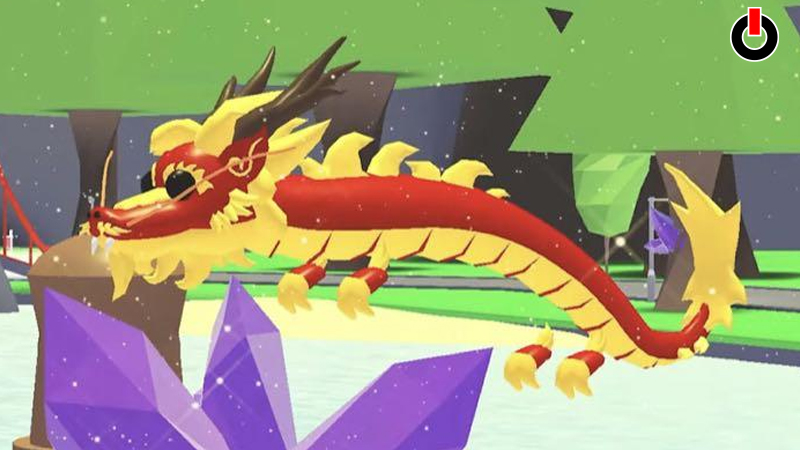
Dancing Dragon in Adopt Me was released during the Lunar Year 2022 event. It was one of the purchasable items available for 800 Robux in the in-game shop. The only and the easiest way to get the Dragon you looking for was by purchasing it during the event in the game.
After the end of the event, the Dancing Dragon in Adopt Me was removed from the shop. All those players who couldn’t acquire it during the event can now get it by trading in the game. So, if you also missed it during the Lunar Year 2022 event then do not worry as you still have a chance to get it.
If you don’t know how to trade in Adopt Me and get your favorite legendary Dancing Pet then keep reading and find out the steps for the same.
How To Trade Items In Adopt Me?
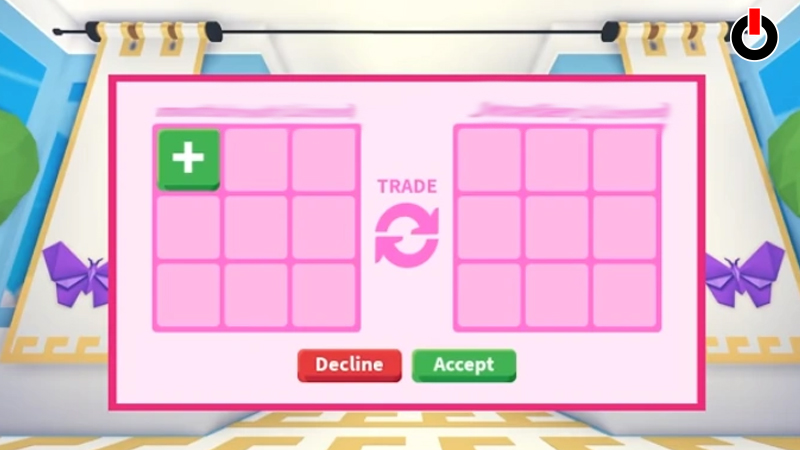
Trading items is one of the best ways in Adopt me to get your favorite pets without having to spend any Robux. All you have to do is find a friend or another player in your server and click on the. You will find an option to trade over the head of their avatar. Click on it and a checkerboard-like window will appear on your screen. Select and put the items that you would like to trade and the other player will put what he has to offer.
If you get Dancing Dragon or any other pet that you looking for then click on the Accept button on your screen. Go see your in-game inventory for all the items you received!
This is everything you need to know about how to get Dancing Dragon in Adopt Me. While you are here, click on the link and have look around for more such guides on Adopt Me that will help you in the game.