
It has been almost a decade since Terraria was released for Microsoft Windows. Since its launch, the developer of the game has been releasing numerous updates, fixing crashing issues, and adding new features.
The latest Terraria Text Pack update has made significant changes to the game for players but what players loved the most is it added the ability to add texture packs to the game, allowing players to access their packs from the main menu.
Also Read | How To Install And Download Terraria 1.4 Texture Packs
Texture Packs are add-on files that players often create that change the appearance of some or all of the game’s content and sprites. This could be anything like weapons, enemies, furniture, NPC’s, and your name too. The recently added Terraria Texture Pack lets players modify the game the way they actually want to be.
With the help of the best Terraria Texture Packs, players can also change the entire art direction as they play. Making your work easier, we have compiled a list of all the available Texture Packs that you can use in Terraria 1.4 right now.
Table of Contents
Best Texture Packs in Terraria 1.4 – November 2022
The Spectacle Texture Pack
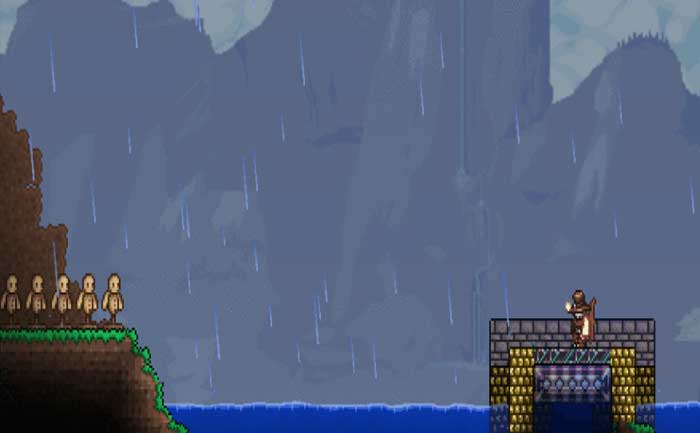
This is quite extensive, which is usually used to present a better experience for the player, altering and improving almost every sprite and texture in the base game and giving it a better look. The best thing about this Texture Pack is it completely changes the game the way it looks.
Notably, the Spectacle Texture Pack has been around since update 1.4 but it is still one of the most popular choices among gamers. The only reason why thousands of Terraria players love this Texture Pack the most is that it makes the game quite beautiful and updates more than 300 Sprites, and helps to do a lot more things in the game.
PRIME Texture Pack
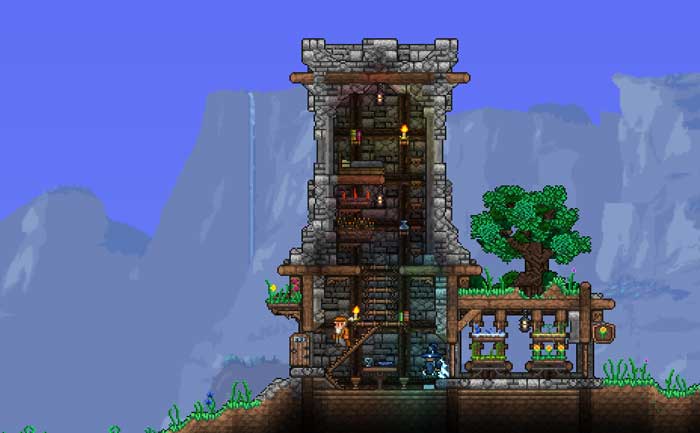
After the Spectacle Texture pack, if there is any other Terraria Texture Pack you want to add to the game, it should be Prime Texture Pack. We all know how useful the Texture pack is when it comes to having a lot of fun while playing the game.
Similar to the Spectacle Texture Pack, this one will also help to make the game look better. This pack really gives the vanilla game a great look that still maintains the spirit of the base game.
Better Ambiance Pack
Better Ambience Pack is yet another Terraria Texture Pack that you should have in the game. It ensures to provide a better experience along with an amazing look. This pack takes the original dreary colors of the sky and adds more color variation in the game, giving in-depth than ever before. It will also give the game a much more vibrant feel during the daytime.
Better Ambiance Pack gives a lot of detail to the Sun, refines the look of water, and gives a more vibrant and detailed look to the various background in the game.
Calamity Texture Pack
Unlike the above-mentioned Terraria Texture Packs, this does not change the look of the game but it lets you tweak the HUD. When you have a Calamity pack in the game, you will be able to vividly see a lot of major changes coming to the health and mana bars, making the game really astonishing.
This pack also gives the game a more rustic feel and changes the way biomes and blocks can look. It entirely changes the look and feel of the game and is an entertaining way to experiment with how you play the game.
Captain America Shield – Texture Pack
This is quite a simple Texture Pack but we could not resist adding this pack in our list of best Terraria Texture Pack. This brings a very small change in the game, replacing the “Sergeant United Shield” with Captain America’s iconic shield.
It might seem very little change for you but if you are like us, you would surely love just having the shield on your character. Sometimes the simplest thing can make you the happiest person on the earth.
Minecraft Texture Pack
Do you love playing Minecraft? If yes then use this Texture Pack to make the game similar to Minecraft. If you use this pack, you would not believe that you are playing Terraria because this pack makes you feel like you are playing Minecraft.
The best thing about this pack is it has an avid developer who often rolls out new updates to make it more useful and entertaining.
These are all the best Terraria Texture Packs that we have found quite useful while playing the game.
Currently, Terraria is available on PC, Xbox One, Xbox 360, Playstation 4, Playstation 3, Nintendo Switch, iOS, Android, and macOS.