
The much-awaited 3D battle RPG titled Slime Isekai Memories has finally been released for Android and iOS devices. There are tons of fans who have already downloaded the game are currently having difficulty rerolling for the best characters in Slime Isekai Memories.
The only reason why a lot of players are having issues selecting the best Slime Isekai Memories characters is the game has dozens of characters. With that in mind, we have created a Slime Isekai Memories tier list ranking all Protection and Battle characters available in the game.
If you want to learn how to reroll in Slime Isekai Memories then don’t worry, we have got you covered. This post will not only walk you through the process of enrolling but also show you how to reroll for.
How to Reroll In Slime Isekai Memories
Similar to other gacha games, the reroll process in Slime Isekai Memories is straightforward. However, if you don’t know how it is done then follow the below-mentioned steps:
- Open Slime Isekai Memories on your phone.
- Complete the tutorial and collect all pre-registration rewards.
- Once collected, use them to obtain gacha banner characters.
- If you want to reroll for your favorite character then re-start the game and go to the main menu screen.
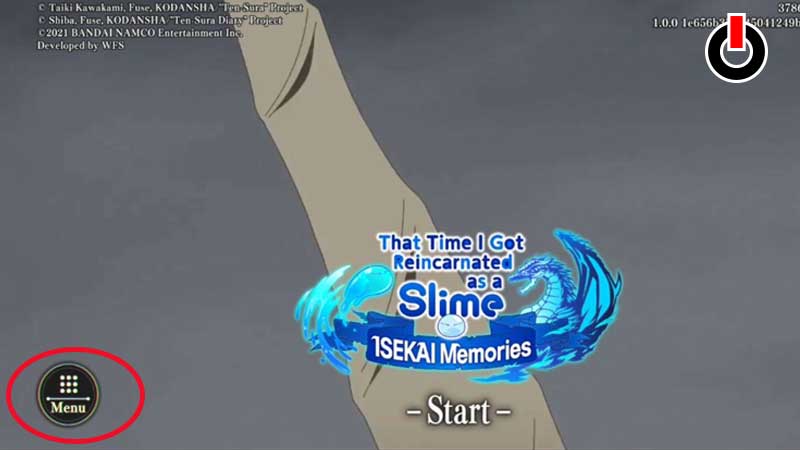
- Click on the ‘Menu’ button.
- Now, click on ‘Delete Game Date’.
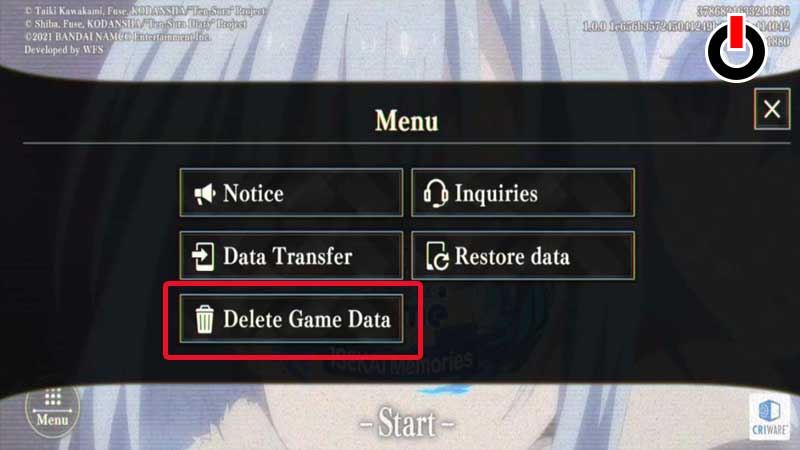
- Now, you will have to play the tutorial again and reroll for your favorite characters.
- You can repeat this process until you get the desired Slime Isekai Memories characters.
Who to reroll In Slime Isekai Memories
Once you are done playing the tutorial, you will get one 5 Star Battle character for sure but you can’t get a 5 Star Protection character by simply completing the tutorial. Since Protection characters are way stronger than Battle characters, players are wondering which 5 Star Protection characters to reroll for.
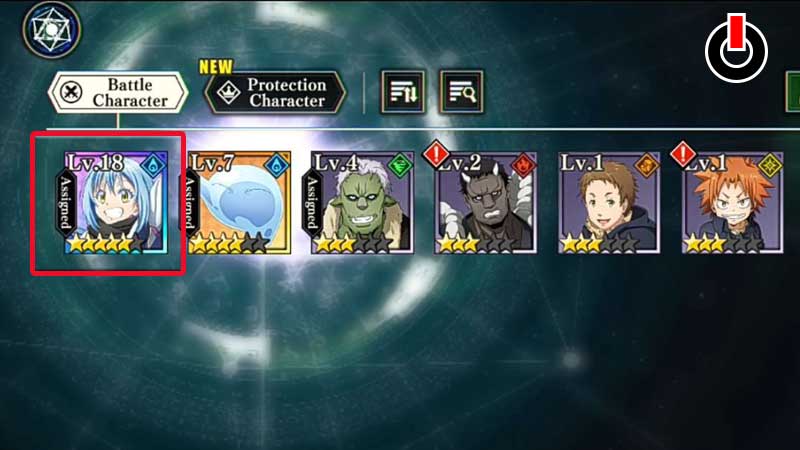
Unlike Battle characters, enrolling for Protection characters is a bit tedious. If you don’t know how to reroll for Protection characters in Slime Isekai Memories, then follow the given steps:
- First, complete the first stage of Chapter 1.
- Click through all dialogues with the Goblins and build a Goblin’s House and Training Grounds.
- Once done, you can pull for a Protection character in the game.
- You can do this because it would not take more than 5 minutes.
Here are the top 5 Protection characters who you reroll for in Slime Isekai Memories:
- Veldora Tempest: Storm Dragon (wind)
- Elemental Colossus: Golem (earth)
- Orc Disaster: Starved (darkness)
- Charybdis: Swimming Calamity (space)
- Milim Nava: Bellicose Dragoneye (water)
That’s all you need to know about how to reroll and who to reroll for in Slime Isekai Memories.