
If you’re a frequent The Sims Freeplay player, you must have built a whole empire on the screen. As the game progress further, it can be difficult to manage so many Sims running around. Just as you can add Sims to SimTown, you can also delete a Sim in The Sims Freeplay.
If you’re searching for it and haven’t found a solution, your search ends here. In this guide, we have covered how you can remove one from your gameplay. All you have to do is simply read along with this guide to learn all there is to know about the same.
How to Abandon a Sim in The Sims Freeplay?
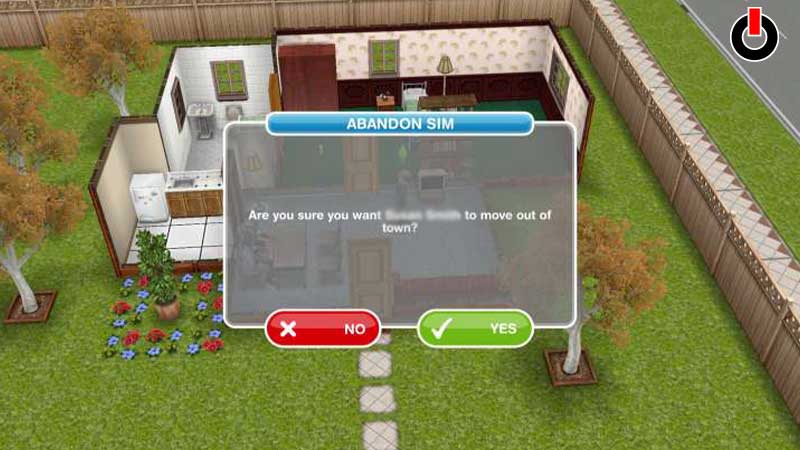
You must know how easy it is to add a Sim to SimTown, likewise, it is simple enough to delete a Sim in The Sims Freeplay. If you’re new to this game, you’ll get a hand of it by the time you reach the end of this guide. Below, we have mentioned the steps that you can refer to while driving a Sim out of town.
- Launch The Sims Freeplay on your device
- On the main screen, select the Sim you wish to abandon
- Click on the Sim
- On the right side of the name, you’ll see a Red Striked Circle
- Click on the icon
- Now, click on the Yes button to remove the Sim
The moment you tap on yes, a red cross will appear on the screen and the Sim will be moved out of SimTown. This is how you can delete a Sim in The Sims Freeplay.
Hopefully, this guide was helpful to you. While you are here, you can go ahead and browse through other similar articles such as How to Find The Third Artifact in The Sims Freeplay? and How to Get More Simoleons?