
PUBG New State just dropped and already has an Unable To Connect To Server Error on devices. New games and their teething issues are nothing out of the blue for gamers. However, it does add to the frustration when you are desperately waiting for a game to drop. Luckily, there are some fixes that will help negate these issues. And, they are all easy! So, scroll down and find out how to fix the Server Connection Error in PUBG New State.
How to fix Unable to Connect to Server Error in PUBG New State?
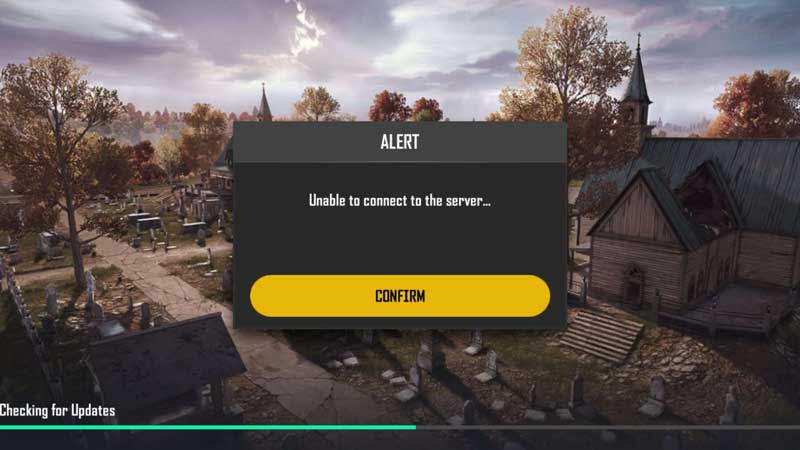
The one fix that seemed to work for me was switching from WiFi to Mobile Data. Doing so allowed me to access the game directly and start right up. If you are worried about using up Mobile Data, just use Data for the startup and then switch to WiFi. This will make sure you stay connected to the servers.
The game devs, Krafton, have given their own set of fixes for the PUBG New State Unable To Connect To Server Error. These are as follows:
- As soon as the error message pops up, close and exit the app.
- Make sure that you completely exit the game and shut the app.
- Restart the app now and reselect the server by going to Settings.
- Inside settings, look for the Basic option.
- Now, look for the Connection tab and open it.
- Inside this click on the Select Server option and change the server options.
- Now, go back to the game and you shall be able to play the game with ease.
Alternatively, you can even try these steps:
- Firstly, keep turning the network connection on and off on your individual device or console.
- Make sure that there aren’t many devices connected to the same WiFi network.
- Next, Try restarting the WiFi router to negate any connection issues.
This is everything that you need to know about how to fix PUBG New State Unable To Connect To Server error. While you are here you can also have a look at the Complete List Of PUBG New State Servers.