
Do you know how to add symbol to your PUBG name? If your answer is ‘NO’ then this ultimate guide will teach you how to add a unique symbol using PUBG name generator. If you are not new to gaming, you must know the importance of having unique and great nicknames in any game and when you are playing PUBG Mobile then it is mandatory to have a better name.
There are thousands of people who are struggling to find the perfect name for their PUBG account, so they can replace their current name. Adding symbol to their nickname in PUBG Mobile is one of the most common method people are opting for.
If you don’t know how to add a symbol using PUBG name generator then this ultimate guide will teach you how to do the same in the simplest way possible.
Table of Contents
PUBG Name Generators
Unlike special characters of text, you would not be able to add symbol to your PUBG name directly from your normal keyboard. Yes, you read that right! In order to add symbol to your PUBG nickname, you will have to use PUBG name generators.
While playing PUBG Mobile, you must have noticed players having unique and attractive names. Have you ever tried to use PUBG name generator to add symbol to your nickname?
PUBG Name Generator With Symbols: Nickfinder
Whenever you search for PUBG Mobile name or any other game’s unique and attractive name, the first site you will see at the top of Google search is Nickfinder.com. There is no better tool or website to generate unique, funny, hilarious, attractive and adorable names for any video game including PUBG Mobile and Free Fire.
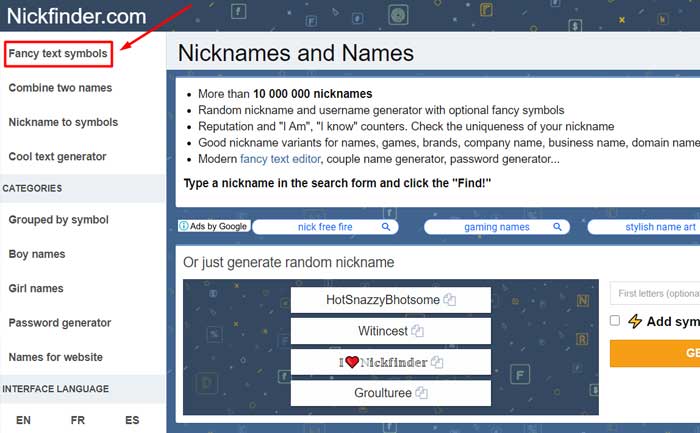
In order to use the Nickfinder PUBG name generator with symbols, you simply need to visit Nickfinder.com. When you visit the site, you will find the “Grouped by symbols” category – which you will find on the left side of your screen.
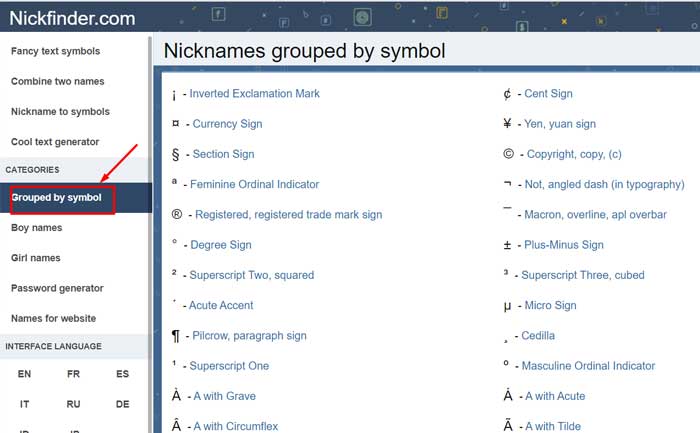
When you click on the option, you will see a lot of special characters appearing on your screen. Now, it is time to select the perfect symbol for your PUBG nickname and copy and save them for later use.
PUBG Name Generator With Symbols: LingoJam
The second PUBG symbol generator is LingoJam. The process of adding a symbol to your PUBG Mobile nickname using LingoJam is similar to Nickfinder.com but it has fewer features as compared to Nickfinder.
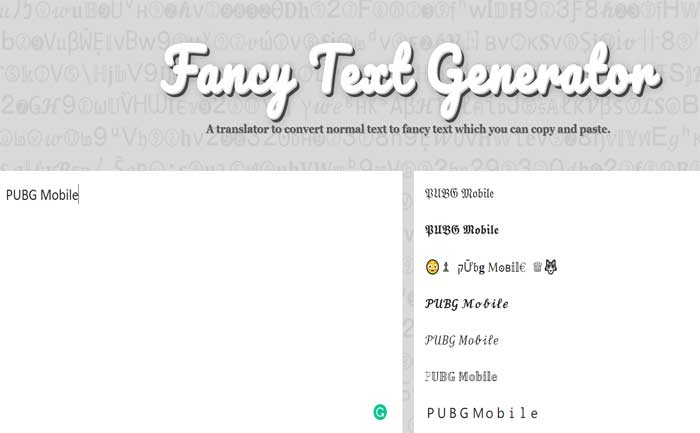
What all you need to do is to write whatever you want to keep as your PUBG nickname and wait for the result to appear on the opposite section. However, LingoJam does not have as much option as Nickfinder to customize your name.
These are two ways to add symbol to your PUBG Name. We will update this guide with other options in the times to come.