Close Menu
    Facebook X (Twitter) Instagram
    • About Us
    • Disclaimer
    Facebook X (Twitter) Instagram Pinterest Vimeo
    Games Adda
    Subscribe
    Games Adda
    Home » Gaming » New World Http Error Response
    Gaming

    New World: How To Fix Http Error Response Issue In 2022?

    Chinmayee HBy Chinmayee HDecember 31, 2021Updated:December 31, 2021No Comments3 Mins Read
    Share Facebook Twitter Pinterest LinkedIn Tumblr Reddit Telegram Email
    New World Http Error Response fix
    Share
    Facebook Twitter LinkedIn Pinterest Email

    New World is a massively multiplayer online role-playing game developed by Amazon Games released in September 2021. It has not been a month since the game was launched but there are many players who are facing the “HTTP Error Response” error in New World.

    If you are also one of them who are getting this error but don’t know how to fix it then we have you covered. Here is a guide with multiple solutions to fix the “HTTP Error Response” error in New World.

    How To Fix The “HTTP Error Response” Error in New World?

    There can be many reasons for this error to occur in New World. It can appear because of a poor internet connection, or due to a firewall or any other system issues. Find out a full list of solutions to fix the “HTTP Error Response” error in New World.

    Pick any one of the solutions or try all of them and see what helps you to fix this error on your device.

    1) Check Your Internet Connection

    Check if your internet is proper and has stable or good speed. If the internet is down then try and restart your Wi-Fi router. Once restarted, try to log in to New World again to see if it works.

    2) Correct Date And Time
    New World is a massively multiplayer online role-playing game developed by Amazon Games Orange County that has hit the gaming world in September 2021. The game has just started and there are many players that are facing the "Http Error Response" error in New World. If you are also one of them who is getting this error but don't know how to fix it then we have you covered. Here is a guide with multiple solutions to fix the "Http Error Response" error in New World. How To Fix The "Http Error Response" error in New World? There can be many reasons for this error to occur in New World. It can appear because of a poor internet connection, or due to a firewall or any other system issues. Find out a full list of solutions to fix the "Http Error Response" error in New World. Pick anyone or try all the solutions to fix it as soon as you can. 1) Check Your Internet Connection-  Check if your internet is proper and has stable or good speed. If the internet is down then try and restart your Wi-Fi router and try to log in into New World again to see if it works. 2) Correct Date And Time- Make sure you have set your device on the correct date and time. If not follow the steps and set the date and time correctly and log into the New World again to check if it helped you to fix the "Http Error Response" error. Setting >> Time and Language >> Date & Time >> Let the windows set your date and time automatically 3) Change Windows Defender Firewall Settings- Follow the path and turn off and then again turn off your Windows Defender Firewall settings to refresh it.  Control Panel  >>  System & Security  >>  Windows Defender Firewall  >>  Customize settings for each type of network  >>  Turn off and then again turn on Windows Defender Firewall  4) Reset Connection By Flushing DNS  Flushing DNS basically clears any IP address or other DNS records from your cache and help you to resolve security, internet connectivity, and other issues to fix errors like the "Http Error Response" in New World. To fix this open Run Commands on your device and run the following commands one by one and hit the ok button to fix the error. netsh winsock reset ipconfig / registerdns ipconfig / release ipconfig / flushdns ipconfig / renew 5) Disable IPv6   Disabling IPv6 troubleshoot the networking-related issues. It helps you to fix the errors in any of the applications on your device. Follow the route and uncheck the Internet Protocol Version 6 (TPC/IPv6) to disable the IPv6 and fix the error occurring in the New World. Settings >> Network and Internet >> Wi-Fi >> Change adapter options >> Rightclick on your network connection >> Properties >> Uncheck Internet Protocol Version 6 (TPC/IPv6)

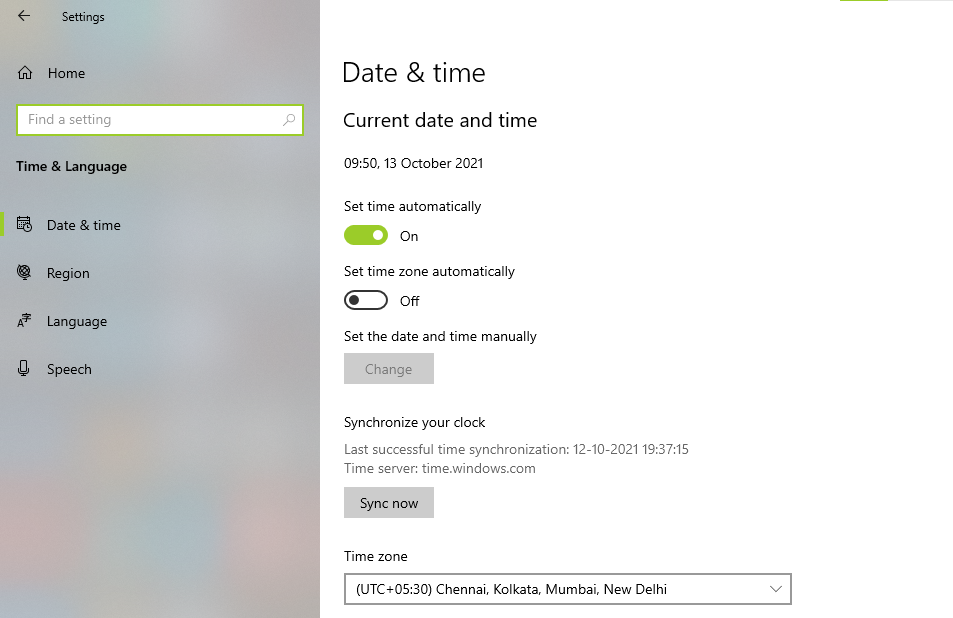
    Make sure you have set your device on the correct date and time. If not follow the steps and set the date and time correctly and log into the New World again. Check if it helped you to fix the “HTTP Error Response” error.

    Setting >> Time and Language >> Date & Time >> Let the windows set your date and time automatically

    3) Change Windows Defender Firewall Settings
    New World Http Error Response fix

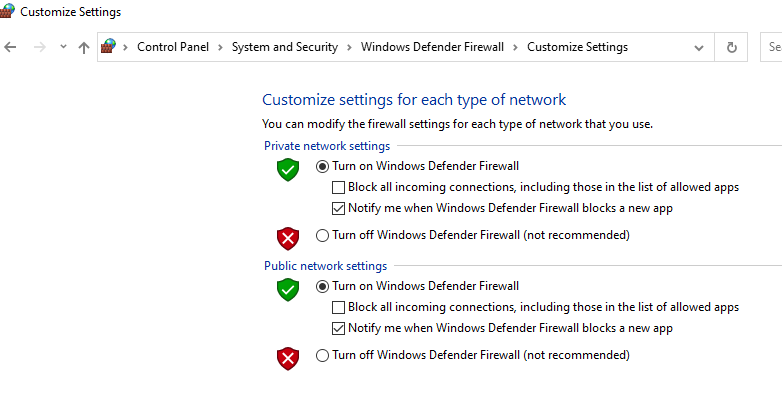
    Follow the path and turn OFF and then again turn ON your Windows Defender Firewall settings to refresh it.

    • Control Panel  >>  System & Security  >>  Windows Defender Firewall  >>  Customize settings for each type of network  >>  Turn off and then again turn on Windows Defender Firewall 

    4) Reset Connection By Flushing DNS
    New World Http Error Response fix

    Flushing DNS basically clears any IP address or other DNS records from your cache. It helps you to resolve security, internet connectivity, and other issues errors like, etc.

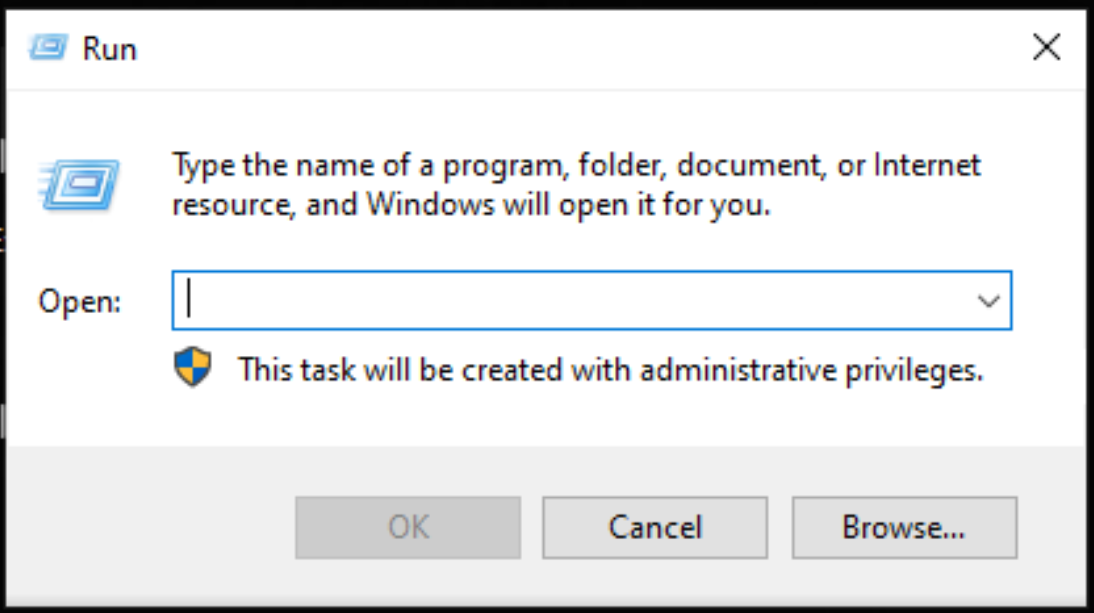
    To fix this open Run Commands on your device and run the following commands one by one and hit the ok button to fix the error.

    1. netsh winsock reset
    2. ipconfig / registerdns
    3. ipconfig / release
    4. ipconfig / flushdns
    5. ipconfig / renew

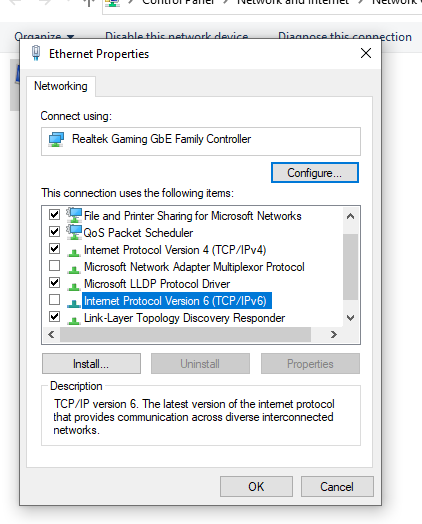
    5) Disable IPv6

    New World Http Error Response fix

    Disabling IPv6 troubleshoot the networking-related issues. It helps you to fix the errors in any of the applications on your device. Follow the route and uncheck the Internet Protocol Version 6 (TPC/IPv6) to disable the IPv6 and fix the error occurring in the New World.

    • Settings >> Network and Internet >> Wi-Fi >> Change adapter options >> Rightclick on your network connection >> Properties >> Uncheck Internet Protocol Version 6 (TPC/IPv6)

    These are all the possible solutions to fix the “HTTP Error Response” error in New World. Check out another article on how to fix NFS heat error code 40010000.

    Error Guides New World Guides Tips and Tricks
    Share. Facebook Twitter Pinterest LinkedIn Tumblr Email
    Previous ArticleNFS Heat Servers Down: How To Check Server Status & Fix Issues?
    Next Article Call Of Duty: Warzone – What Is SBMM & Its Alternatives (2022)
    Chinmayee H

    Workrate so good you can call me Kante!

    Related Posts

    Gaming

    Pin Up Casino Onlayn Azərbaycan

    June 21, 2026
    Gaming

    1win — ставки на спорт в букмекерской конторе

    June 17, 2026
    Gaming

    Trips Casino Welcome Bonus Review: How Australian Players Can Maximise the Offer

    June 15, 2026
    Add A Comment

    Comments are closed.

    Facebook X (Twitter) Instagram Pinterest
    © 2026 ThemeSphere. Designed by ThemeSphere.

    Type above and press Enter to search. Press Esc to cancel.