
There are thousands of fans who are wondering how much have they spend in League Of Legends (LoL) so far and if that’s you then look no further because we will show you a process that will help you know the amount of money that you have shelled out in LoL as of now.
League Of Legends is a 100% free video game and it does not require fans to spend money but there are some unique in-game items such as skins, champions, chromas, and Little Legends that players buy with real money. There are hardly any players who have not spent money in League Of Legends to buy in-game items.
Irrespective of what you buy in League Of Legends, you need to have in-game currency, Riot Points or RP. So, whenever you are considering buying anything, you will have to buy Riot Points first. There are numerous things that you can buy in League Of Legends and most of them are priced between $5 to $50.
The only reason why most League Of Legends players spends money on buying skins is they don’t only make your appearance look dashing but also improves your stats as well. If you feel that you have spent a lot of money in LoL and want to know the amount of total money that you have spent so far, you can do it by following a few simple steps.
How Much Money You Have Spent in League of Legends
Knowing the amount of money that you have shelled out in League Of Legends as of now is pretty simple. However, if you don’t know the entire process then follow the given steps:
- Visit the official support page of Riot Games
- Sign in with your LoL account that you want to check the info on.
- Hit the red “Show me the money” button that can be found in the middle of the text.
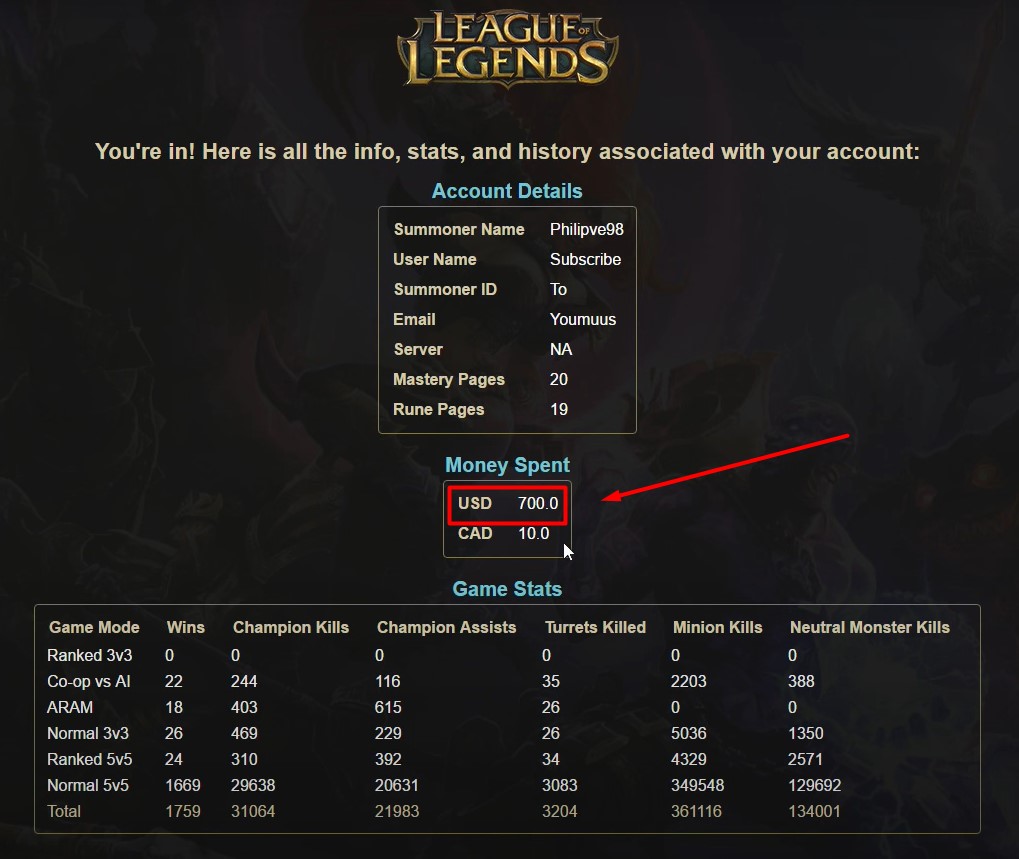
- Once you do so, you will be shown all the money that you have spent on your League Of Legends account so far.
That’s everything you need to know about how to check how much money have you spent in League Of Legends.