
If you want to increase your friendship with an NPC quickly in Hello Kitty Island Adventure then you must unlock & use the Friendship Blossom. This is one of the items that increases the limit of gifts you can give to a character in the game. As usually players only get to surprise their friends with 3 Gifts per day. But with the help of Friendship Blossom, you will be able to give 3 more gifts, which makes it 6 gifts per day. This item will surely come in handy when you are in need of leveling up your friendship with an NPC quickly. If you’re already looking forward to farm Friendship Blossom in the game, then we’ll help you find it.
How to Get & Use Friendship Blossom in Hello Kitty Island Adventure
To get Friendship Blossom in Hello Kitty Island Adventure, all you have to do is log in to the game on Day 2 & Day 7. Yes, that’s it, as this item is part of the Daily Rewards, launching the game on mentioned days will do the trick. Players will get this friendship item every week, so they don’t need to be worried about running out of it. If you somehow missed your daily reward while logging in, then below are the steps to claim it easily.
- First, launch the Hello Kitty Island Adventure on your device.
- Next, click on the Phone icon located in the top right corner of your screen.
- After that, select the Daily Rewards option.
- Then, toggle to the Calendars icon located in the bottom left corner to claim your rewards.
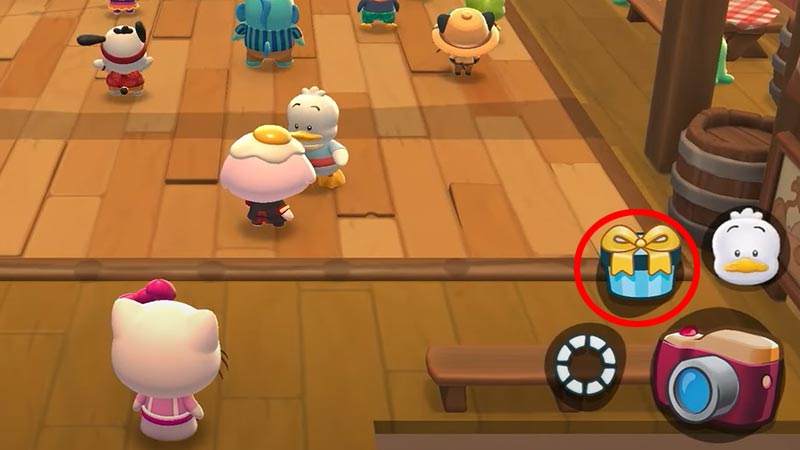
Once you have the Friendship Blossom you can use it right away on any NPC you like. To do so, simply walk towards them and press the gift icon. Doing so will open the inventory where you can select the Friendship Blossom and Give it to the NPC just like that. As mentioned earlier, this item will allow you to give 3 more gifts to that friend in order to increase your Friendship Level quickly.
That is all about how you can unlock & use Friendship Blossom in Hello Kitty Island Adventure easily. If you’re not aware of what gifts every NPC likes, then we’ve got you covered. Also, take a look at the list of all Desserts recipes and start baking tasty dishes.