
Solar Smash is the perfect simulation game for players that just want destruction out of their video games. In fact, with this game players can take the destruction to space and destroy different planets using lethal weapons. Players can unlock lots of new planets like the Cube Earth as they progress through Solar Smash.
Players curious to know how they can get the Cube Planet in the game will find all their answers below.
How To Obtain Cube Earth In Solar Smash?
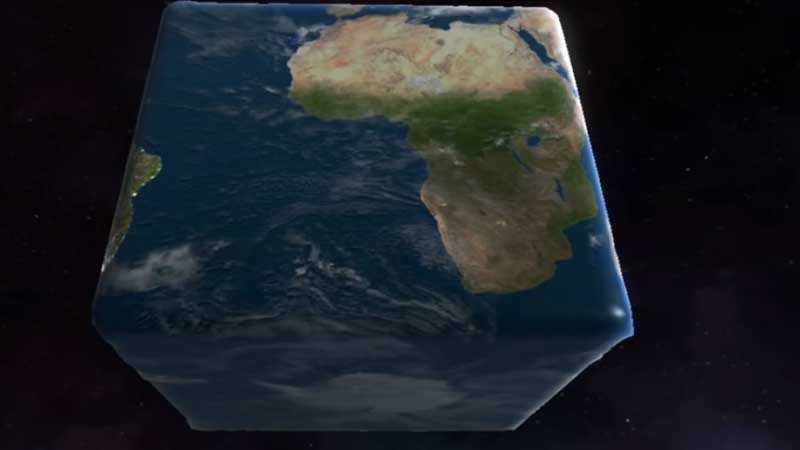
There are a number of planets that players can destroy using weapons like nuclear missiles, lasers, and asteroids. However, there are also some hidden and secret planets in the game. Cube Planet is one such planet that players will have to unlock before they can destroy it in Solar Smash.
The Cube Planet has the same texture as Earth but it is in the shape of a cube instead. To unlock this planet in the game, players will need to fiddle with their weapon grid settings. These settings can be opened by tapping on the grid icon that is located in the top left corner of the screen. Players can now set all the grid settings to middle values a.k.a X, Y, Z. Now, players should lower all the parameters by one point.
Once the grid settings have been set, players can use a weapon of their choice to annihilate the planet. Due to the grid setting, players will be left with a small cube in the end. After resting the planet, players will get the Cube Earth
Once you’ve set the grid settings right you can use any weapon like a laser to destroy the planet. With these grid settings, your laser will leave a small cube. Then you just need to reset this planet to get the Cube Planet.
However, players that have the latest updated version of the game do not need to go to all this hassle. In the newest version of Solar Smash, the Cube Earth is available in the menu right from the beginning.
This is how players can get the Cube Earth in Solar Smash. For more gaming content, check out FNAF Security Breach All Endings Explained