
In the wizarding world of Harry Potter: Magic Awakened our wizards are assigned wands. But sometimes players may not be thrilled about the wands they receive. This is why you can always refer to our article to know how to change wands and get more information on them. Here is all you need to know from choosing your wand to changing it in Harry Potter Magic Awakened.
How to Change Wand in Harry Potter Magic Awakened
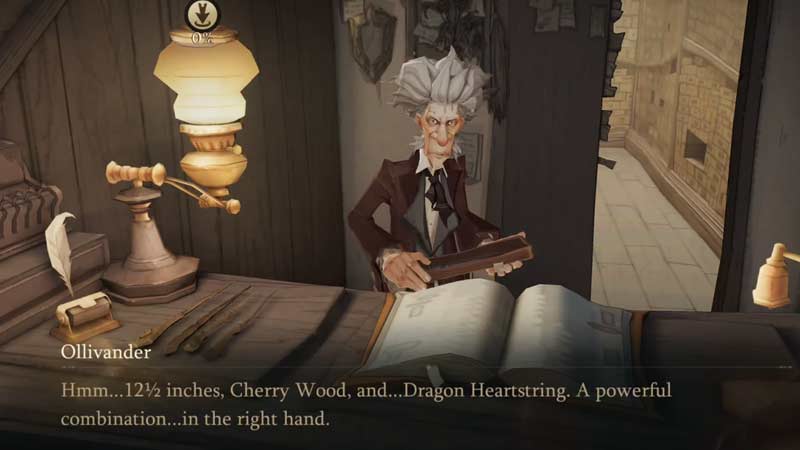
The wand cannot be changed entirely in Harry Potter Magic Awakened. But you can change its appearance or select another wand at the start of the game. At the beginning of the game when you visit Ollivander’s Wand Shop in Diagon Alley with Hagrid you get your wand. You must remember that the wand chooses the wizard and you don’t get to choose the wand you’d like.
However, you can reject a wand at Ollivander’s and get another wand option. Once you accept the wand you cannot go back and change it. You can however change the appearance of your wand like the wand skin, attack effect, and hand effect. These need to be unlocked and then can be equipped.
How to Customize Wand in HP Magic Awakened
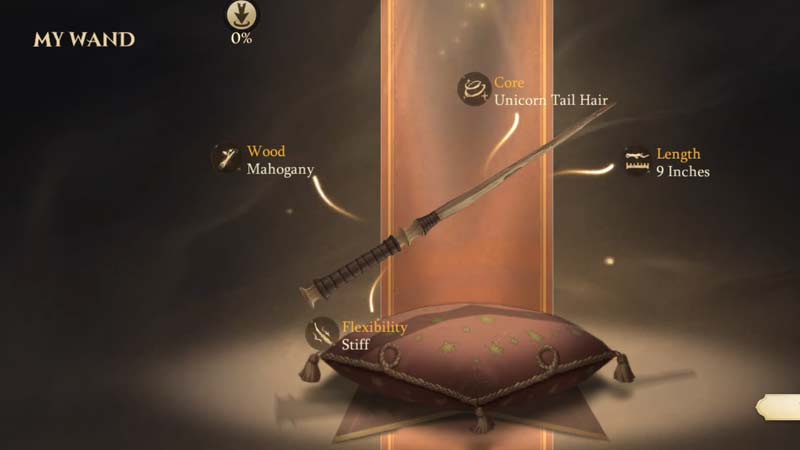
You can customize or change the appearance of your wand with these simple steps.
- Go to your wand details by clicking on the Knapsack icon.
- Select icon info and click on “i”
- You will find multiple wand customization options there.
- Choose what you want to customize your wand from there.
- For example, Wand Skin.
- Select the Wand Skin that you want to use and equip it.
Unfortunately, these are the only things of the wand that you can change, you can’t change the wand entirely. The Wood, Core, and flexibility of the wand remain the same. Now that you know that your wand cannot be changed entirely or equipped from the Warner Bros account make sure you equip the wand of your choice at Ollivander’s.
Going according to the Wizarding Worlds Rules, the wand chooses the wizard and the wizard can’t choose the wand. The same applies in the game. If you found this article helpful check out other gaming articles on our our site.