
Diamonds are in-game currencies of Free Fire that can only be obtained through real money. There are numerous sites out there claiming to provide Diamonds at the lowest price but not all of them are authentic and legit. There is a Diamond top-up site named Mid Shop that is 100% fake.
With that in mind, we have decided to create an article on the Free Fire top-up site, SEAGM. Why lose money when we have some authentic or legit sites to buy Free Fire Diamonds. If you don’t know how to top up FF Diamonds from SEAGM then don’t worry, we have a guide covering the same in the simplest way possible.
Free Fire: How To Top-up Diamonds From SEAGM
SEA Gamers Mall is one of the most trusted top-up sites where gamers across the world buy in-game currencies including Diamonds. To top Diamonds from SEAGM, you will have to follow the given steps:
- Visit the official SEAGM website.
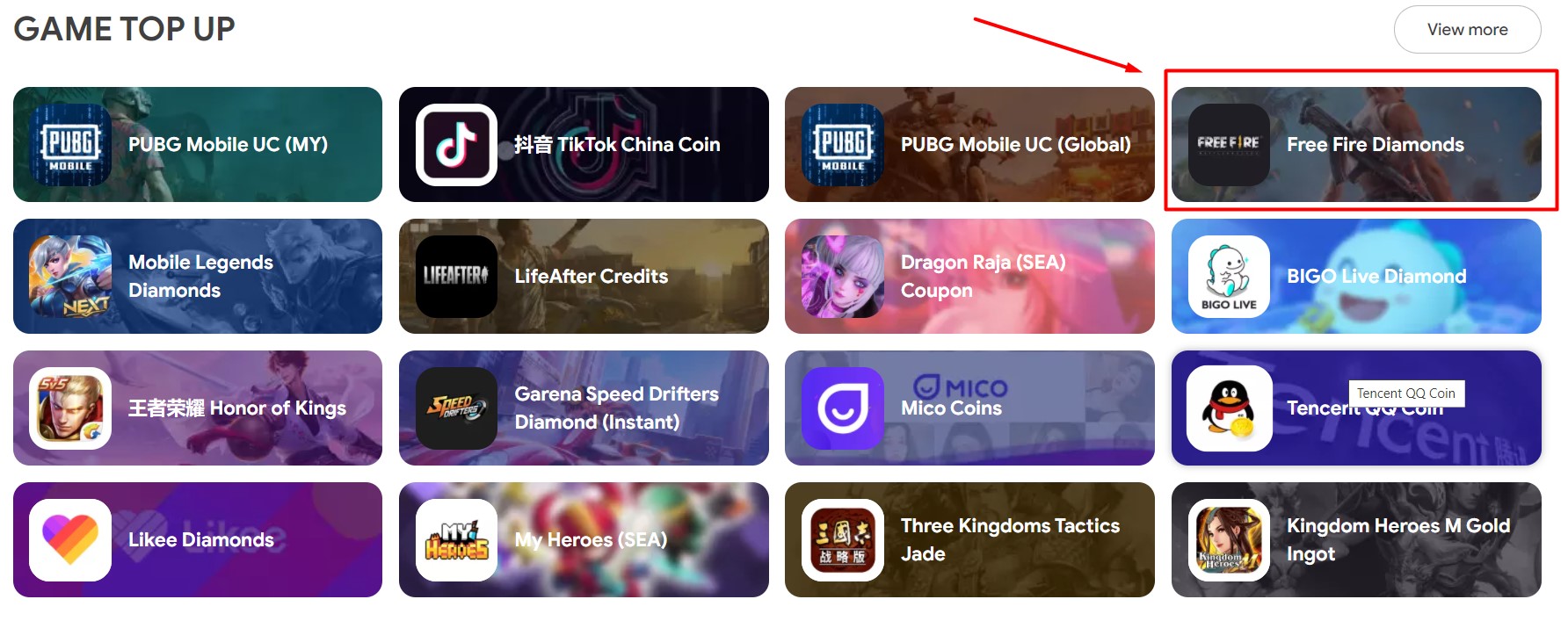
- Scroll down and select the ‘Free Fire Diamonds’ option. You can directly go there by clicking on this link.
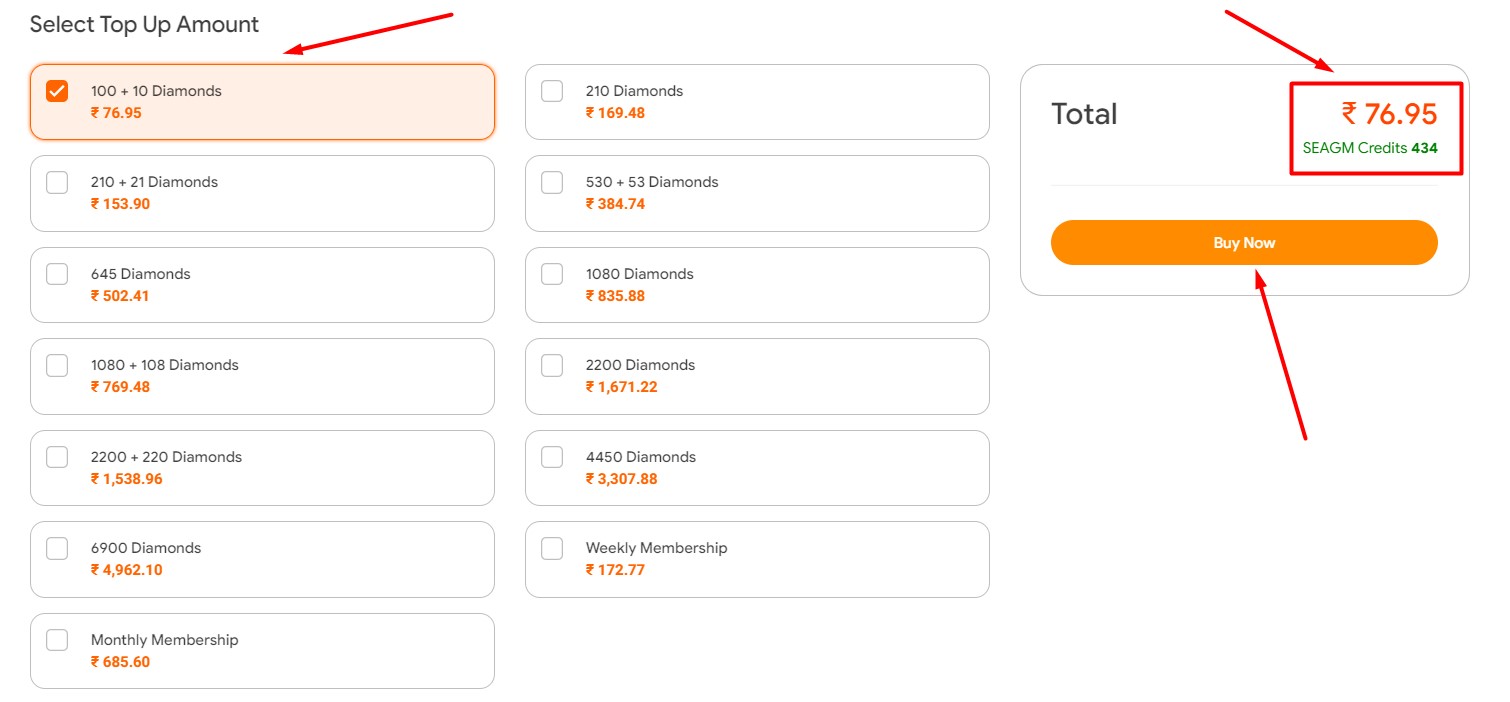
- You will see a list of top-ups. Select the number of Diamonds that you would like to buy.
- You will see the amount of money that will cost you the selected Diamonds on the right side of the screen.
- Click on the ‘Buy Now’ option to proceed and may payment. Make sure you have already logged in to the site.
- Once the payment is made, the selected Diamonds will get delivered to your account in a few minutes.
There is one more way to top up Free Fire Diamonds via the SEAGM website and it does not need you to sign in to the site. If you don’t know what the second method is then keep reading this post.
How To Top-up FF Diamonds Using Player ID?
To buy FF Diamonds using the player ID, players will have to follow a few simple steps:
- Visit the SEAGM official site and select Free Fire Diamonds option.
- Select the required Diamonds that you wish to purchase.
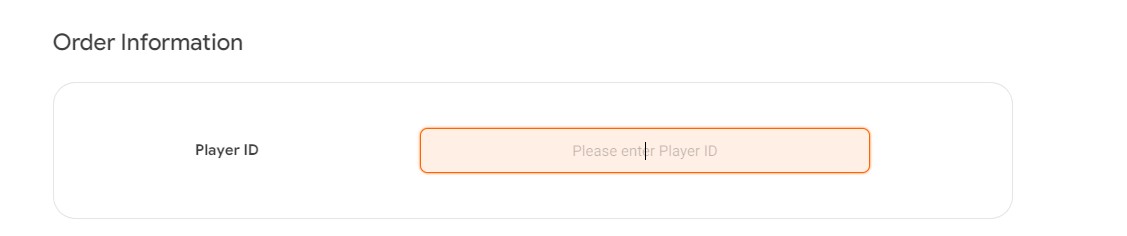
- Enter your Free Fire Player ID
- Check out and select the preferred payment method.
- Once you have successfully made the payment, the selected Free Fire Diamonds will get credited to your account instantly.
- That’s It.
There are players who don’t know how to find Free Fire ID and if that’s you then look no further as we have a step-by-step guide covering the same.
How To Find Free Fire Player ID?
It is very simple to find the Player ID in Free Fire. However, if you don’t know how to find then follow the given steps.
- Launch Free Fire and login into the game.
- Tap on your Avatar in the top left corner of the screen.
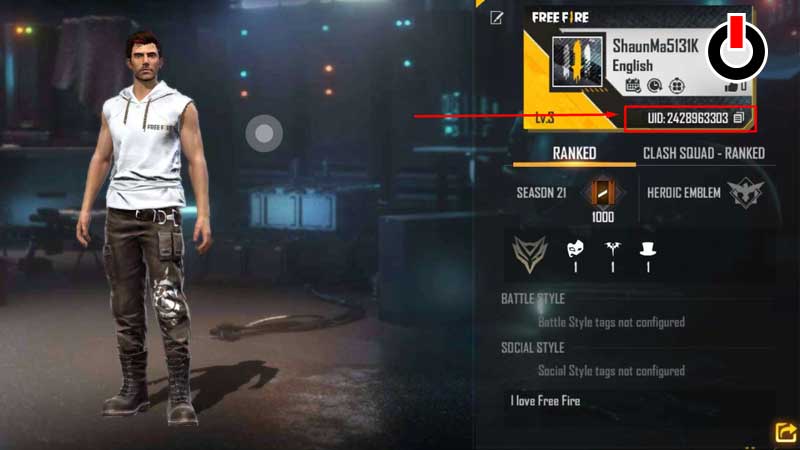
- There, you will see your Free Fire ID.
That’s everything you need to know about how to top up Diamonds from SEAGM in 2021.