
In Battlegrounds Mobile India (BGMI) or any battle royale game landing fast is very important because it helps you loot all the available items before your enemies arrive. Especially when you are landing on hot-drop locations on the map where almost every player tries to reach as fast as they can. If you land faster in BGMI then only you will be able to reach first and get access to available ammunitions or gears hidden there. So here are all the tips and tricks to land faster in BGMI.
Here Are All Tips and Tricks To Land Fast In BGMI:
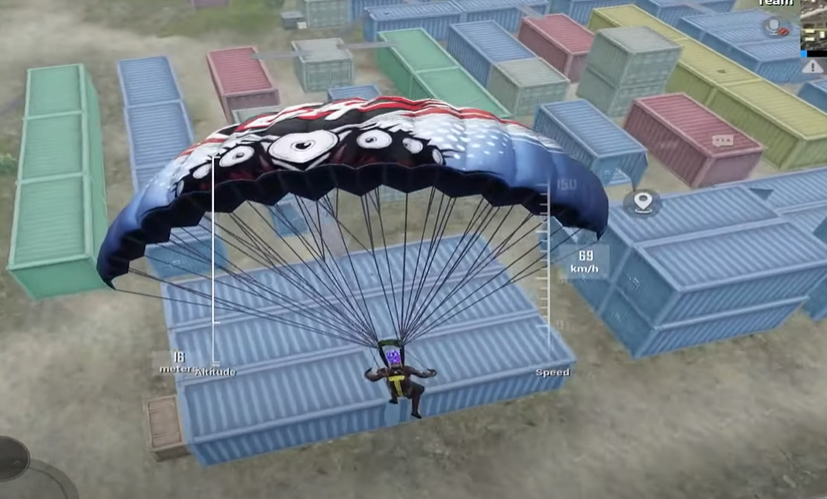
It is not a difficult task to land faster in BGMI. To land quickly in BGMI, you will need to remember different altitudes according to the different maps and locations and have good control over your joystick. That’s it!
1) Select and mark a location on the map where you want to land in BGMI. ( Try to drop on a lace which is close to the path as it’s easy to land there)
2) Jump out of the plane as soon as you reach above 800 meters and using your joysticks select a 135-degree angle.
3) Look at the ground and keep scrolling down while landing.
It is very important to continue rolling down because if you stop moving your fingers the landing speed will automatically come down.
4) Make sure your dropping location is on the left of your screen if not then adjust it using a joystick.
5) As soon as you reach 300 meters your parachute will open automatically. As soon as the parachute opens turn the changing angle of your joystick from 135 degrees to 90 degrees. Remember the altitude at which the parachute opens is different for different maps.
6) Do not remove your finger while gliding even for a second because it will reduce your speed drastically.
7) Click the punch Button on your Top left when you are close to your marked location to land faster in BGMI.
How To Land When Your Plane Path Is 1000-1200 Metres Away From The Landing Location in BGMI?
- Try and align your plane’s wing with the marked location on the map.
- Jump off the plane and start scrolling upwards while looking down.
- Immediately adjust your joystick’s angle to 90 degrees.
- Once you reach a height of about 500 meters change the joystick’s angle to 135 degrees and now scroll down.
- Use the same tricks written above for Quick landing.
How to Land When the Location is below 800 Metres in BGMI?
The only tip other than the tricks written above is once you jump off the plane move your finger in a circular motion keeping an angle of 90 degrees for faster landing in BGMI.
That’s all about top tips and tricks to land faster in the BGMI. For all the latest updates and guides in BGMI stay tuned to our Website.