
Netflix is surely one of the most popular video streaming platforms that provide us with quality entertainment. It is a highly organized application that hardly faces any error. But recently there are people facing tvq-st-145 error and looking for solutions to fix it.
If you are also one of the Netflix users who is facing this error then here is a stepwise guide for you. Follow the steps and fix Netflix tvq-st-145 error on your device.
Netflix: TVQ-ST-145 Error Fix (2022)
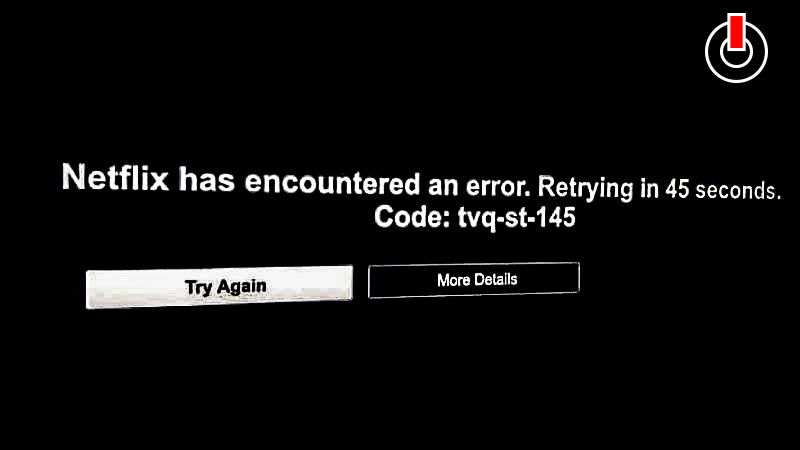
Netflix tvq-st-145 error is a network connectivity issue that prevents your device from reaching Netflix. There are several reasons for this error to occur on your mobile phone or smart Tv while trying to access Netflix. Check out the list of fixes written below to fix this error on your device and enjoy streaming on your favorite platform!
1) Restart Your Device
If you are facing this error on your smart TV then switch the TV off and unplug it from the power supply for a few minutes (1 to 3 minutes). Now switch it ON again and try logging in to your Netflix account and see if the error is fixed.
Similarly, if you are using a smartphone then simply restart your mobile phone and try streaming any video on Netflix.
2) Restart Your Wi-Fi Router
Restart your Wi-Fi router and check if it is working properly. The Netflix tvq-st-145 error occurs due to connectivity issues. Therefore, it is important to have a good internet connection to enjoy streaming uninterrupted. Once you restart your router so the speed test and see if your internet is proper and then see if this fix the error.
You can also try and change the place of your Wi-Fi router and keep it in such a place from where you get the best speed. eg. near your smart tv.
3) Contact Netflix
If the above solutions do not work then you can try contacting Netflix. To do that click on your profile icon and then go to help. Find an option to chat or call Netflix Customer Service. click on what suits you and fix the error.
This is everything you need to know about how to fix Netflix tvq-st-145 error on your device. Check another article to fix Error 1006 on Netflix.