
You’re not alone, many Mobile Legends Bang Bang players out there are looking for ways to appear Offline. That’s because, there are times when you just have to relax and claim your rewards, but someone sends an invite. And declining them may seem quite rude or disrespectful. This makes the player wonder if an option to hide your Online status exists in Mobile Legends Bang Bang (MLBB). If you’re bothered by the same question, then let us help you put your mind at ease.
How Can I Appear Offline in Mobile Legends Bang Bang?
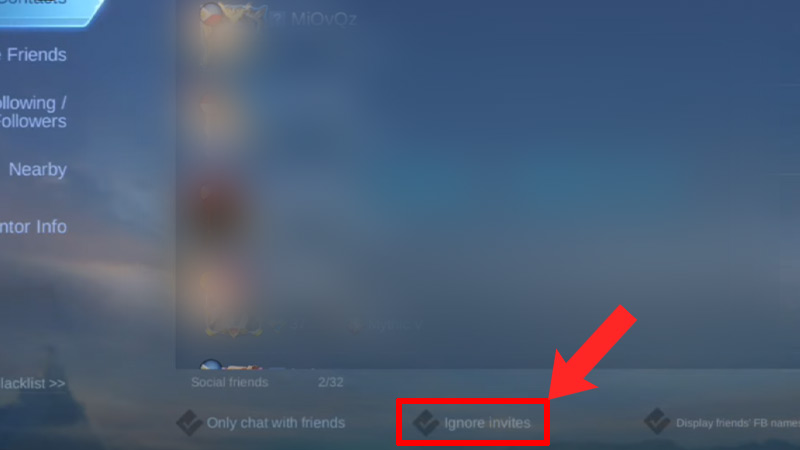
Unfortunately, as of now, there are no options available to hide Online status and appear Offline in Mobile Legends (ML). So it seems, all you can do is ignore the invites or simply decline them. Apart from that, there’s nothing else you can do about it. However, if you’re choosing to ignore the invites then there’s an option that blocks all the invites and doesn’t display them on your screen. This option is located in the Social section under the Contacts tab. If you’re having trouble finding the feature then scroll down for easy steps.
- First, launch Mobile Legends on your device.
- Next, log into your account and stay on the home page.
- After that, click on the Social option (Two-person icon) located on the button right corner of your screen.
- Then, go to the Contacts tab and check the Ignore Invites box located on the bottom side of the screen.
Don’t forget, doing this will not allow you to get any Invites from other players in the game. But players can always turn off the feature option by unchecking the same Ignore Invites check box again. As many players are asking for the option to hide online status, there’s a chance the devs may introduce them in the upcoming updates. For your reference, we will keep updating this article if any new information comes to light. So make sure to bookmark the page by pressing CTRL+D.
That is all about how you can hide your Online status and appear Offline in Mobile Legends Bang Bang easily. If you’re dicey about which heroes you should choose, then check out the list of Best Heroes in the game. Also, take a look at the best ways to Rank Up fast in MLBB.