
Valorant has always been a very popular game globally and very strict about the AFK penalty. They’re trying their best to give us a better gaming experience without any inactive players. However, sometimes this policy makes the player go crazy and eventually delete the game. If you’re unaware of this AFK ban, then here’s a quick summary for you. In this policy, if the player goes offline or doesn’t respond in the game, then the players get a temporary ban. If you’ve received an AFK ban and looking for ways to remove it, then here are some methods that you can try and bypass it.
How Can I Remove or Bypass AFK Ban?
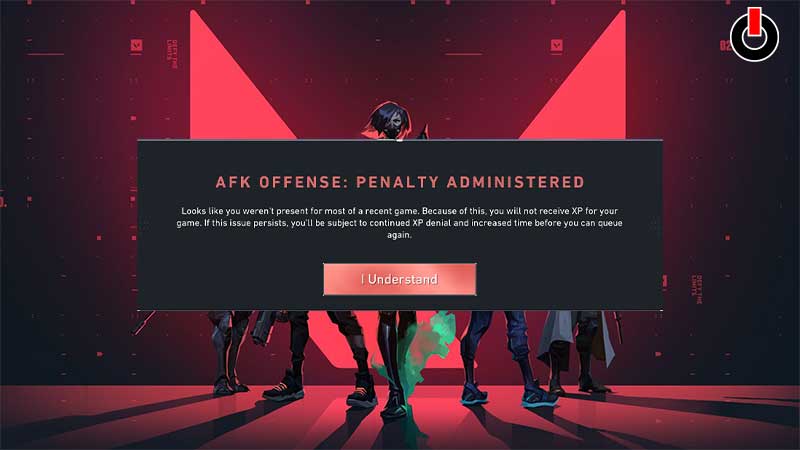
AFK is a term for being Away From Keyboard. These bans are not that serious, but may become an issue if you manage to get them regularly. If it’s occasional then you don’t need to worry about it, it is temporary and generally has a cool-down period. Although, these AFK ban cool-downs duration tends to double up if you receive it on regular basis. The methods for bypassing the penalty might seem complicated, but if you’re dedicated enough and down for it, then go ahead and try them out.
Method 1
Follow the steps below and you’ll be able to bypass AFK ban in Valorant easily.
- Change the BIOS ID/Serial.
- Change the Machine’s ID/Serial.
- Change the ID/Serial of your Drivers.
- Change the MAC Addresses.
- Change the Hd Serial/ID or SSD.
If this method doesn’t work for you, then we have another method ready for you.
Method 2
Here’s want you need to do in order to enjoy uninterrupted gameplay.
- First, Reinstall your Windows Software.
- Then change your Motherboard UUID / Serial Volume ID’s Mac Address.
- After that, install the Valorant game again and you’ll be good to go.
Try this method and you might be able to bypass or remove AFK ban on your Valorant account. If you want more tips & trick, then we’ve got you covered. Here are all the Valorant guides for you, go ahead and check them out.