
We understand the need to add multiple accounts to ig Threads so that you operate through all your ids on the platform. Multiple accounts could be easily accessed on Instagram at the same time by the switch account settings, Or by simply tapping on the arrow next to your username in your profile. So let’s look at how to add multiple profile accounts to Threads and how to switch between them.
How to Add or Switch Multiple Profile Accounts on IG Threads
If you were wondering, whether you could add more accounts to Threads at the same time, then you must know that currently, it is not possible to operate with multiple accounts at the same time. This feature may get added in the future because Meta has mentioned that they will be updating the app with new features as users request them.
For now, you have to log out of your current Threads account and log into your other existing Instagram account in this way:
- On your Profile, go to Settings.
- Tap on Log out.
- You will be taken to the Log in the screen once you Log out.
- On the bottom of the screen tap on Switch Accounts.
- It will display your other existing Instagram accounts.
- Remember that Threads will not show you the accounts that and not logged in to your IG app.
- You must make sure the account you want to switch to is also open on your Instagram App.
- Tap on the account you want to switch to on Threads.
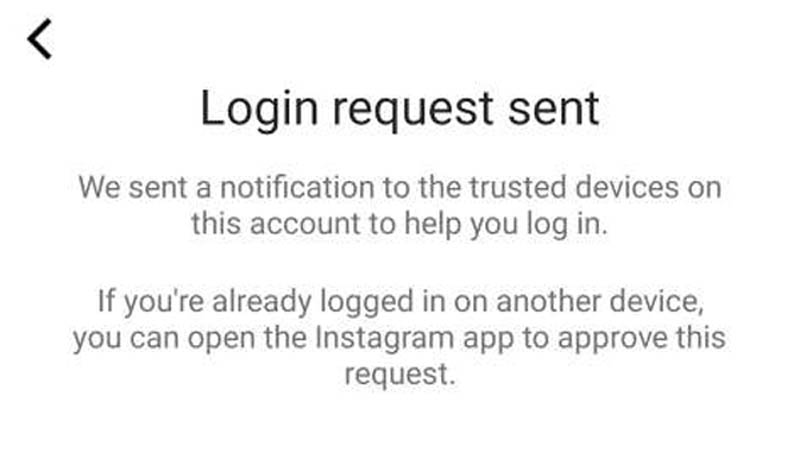
- Threads will send a confirmation message to that Instagram account.
- Accept it and come back to the Threads app. You will then be able to log in with another account.
You have to log out of this account if you want to log into another account. Threads will only allow operating one account at a time. You cannot add multiple accounts and switch easily between accounts on Threads.
Meta has just got started with Threads and they may make more updates to make the platform more user-friendly. That was all on, how to add multiple accounts on Threads. If you found this article helpful you can also check out how to get verified on Threads.