
In Mobile Legends, the Familiarity System is established with players who pay together. Once the familiarity point reaches 150, the player can send a request and establish Affinity, which measures the relationship between the two players like Partners, Bros, Besties, and Confidants that is displayed in the in-game profile. Now, for some reason, if you want to remove the affinity with a player, maybe to establish it with someone else, this guide will help you remove affinity in Mobile Legends.
How to End Affinity in Mobile Legends Bang Bang
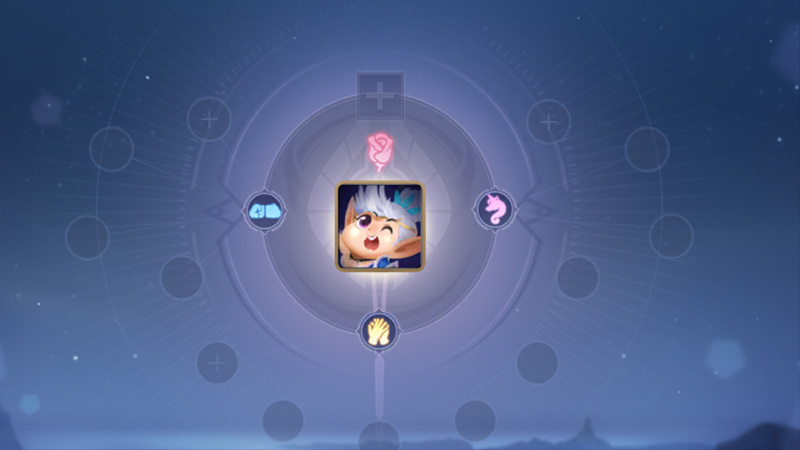
If for some reason you wish to end and remove affinity with a player from your account, you need to send a cancellation request that needs to be approved by the other player. Although, if the player has been offline for the last 30 days, the request will be approved automatically. To send the cancellation request, follow the below-given steps.
- Open the Mobile Legends on your device.
- Now click on the profile picture to open the profile settings.
- Further, click on Social to open the Affinity menu.
- Now click on the dustbin icon to remove the affinity from the player you want.
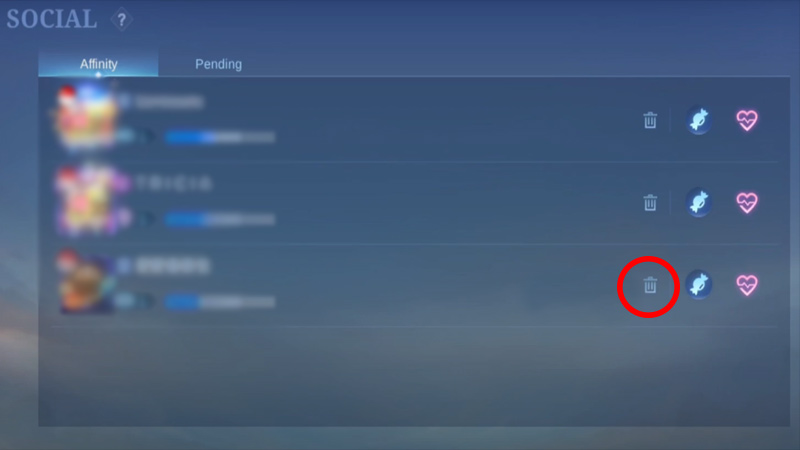
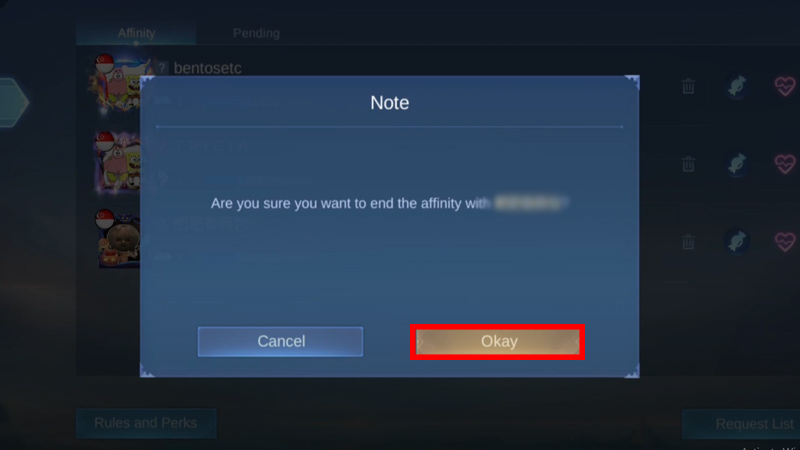
Img credit- Uncle ricAsh Gaming - If a warning prompt up, click on Okay.
Img credit- Uncle ricAsh Gaming
Now this will send them the cancellation request and the affinity relationship will terminate the moment they approve it. Moreover, if don’t want to remove the affinity but hide it from other players, you can use the hide feature available in the game.
How to Hide Affinity in MLBB
- Open the Mobile Legends game on your device.
- Now, click on the Settings icon in the top right corner of your screen.
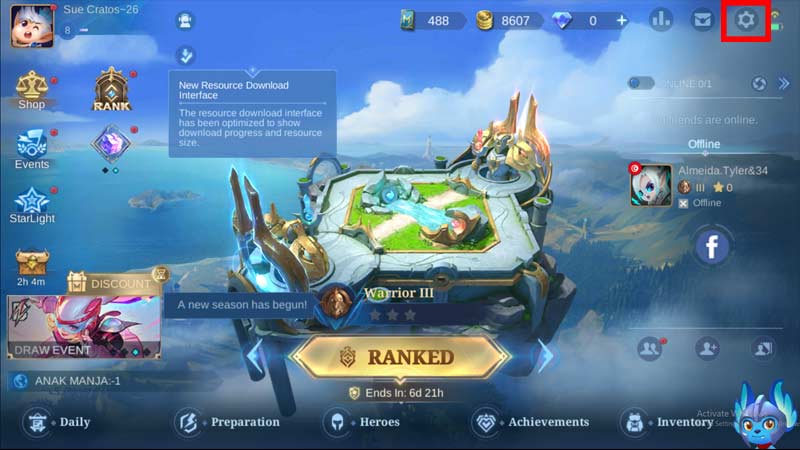
- Next, from the menu, click on the Privacy tab that has all the hide or disable their in-game settings.
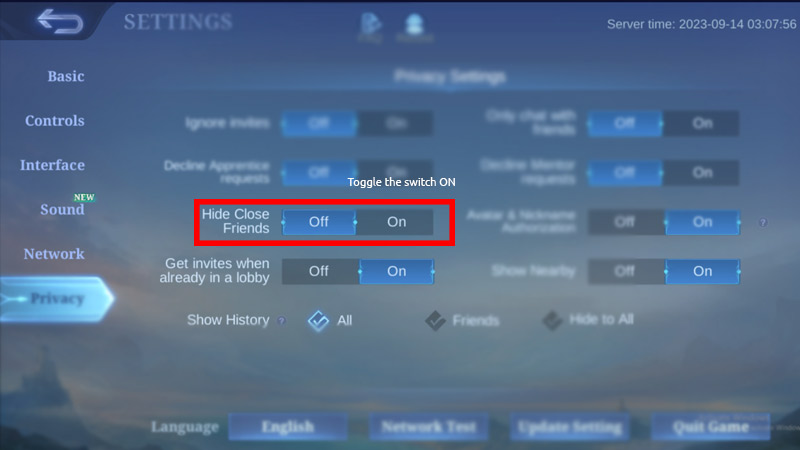
- Lastly, toggle the switch On for the Hide Close Friends option.
This will hide the affinity from your profile, but still will be visible to the other person’s profile until they hide it as well.
And that’s everything covered for how to remove Affinity with a player in Mobile Legends. If you find this guide helpful, check out other guides on how to access Advanced Server in MLBB. Moreover, take a look at the Tips & Tricks to Rank Up quickly in MLBB on GamesAdda.