
Emupedia is a treasure for all people who are trying to access different games, applications, and software that are either rare, old, or paid. Emupedia.net is a website that offers you one of the most popular at the same time rarest games and software for free. It is mainly popular for its Minecraft server as it let you play it for free.
If you want to know everything about Emupedia such as how to play games paid games for free, a list of games available on it, to can you download games from the Emupedia site then you are in the right place. This post has all the possible information about Emupedia that you actually need to know.
How To Play Games On Emupedia.net?
There are plenty of applications, games, and software available on Emupedia that you can access for free. Here is a stepwise guide for you to play your favorite games for free on Emupedia.
- Open any browser on your PC or laptop and search for Emupedia. net.
- Click on the first website that appears on your screen and you are already in.
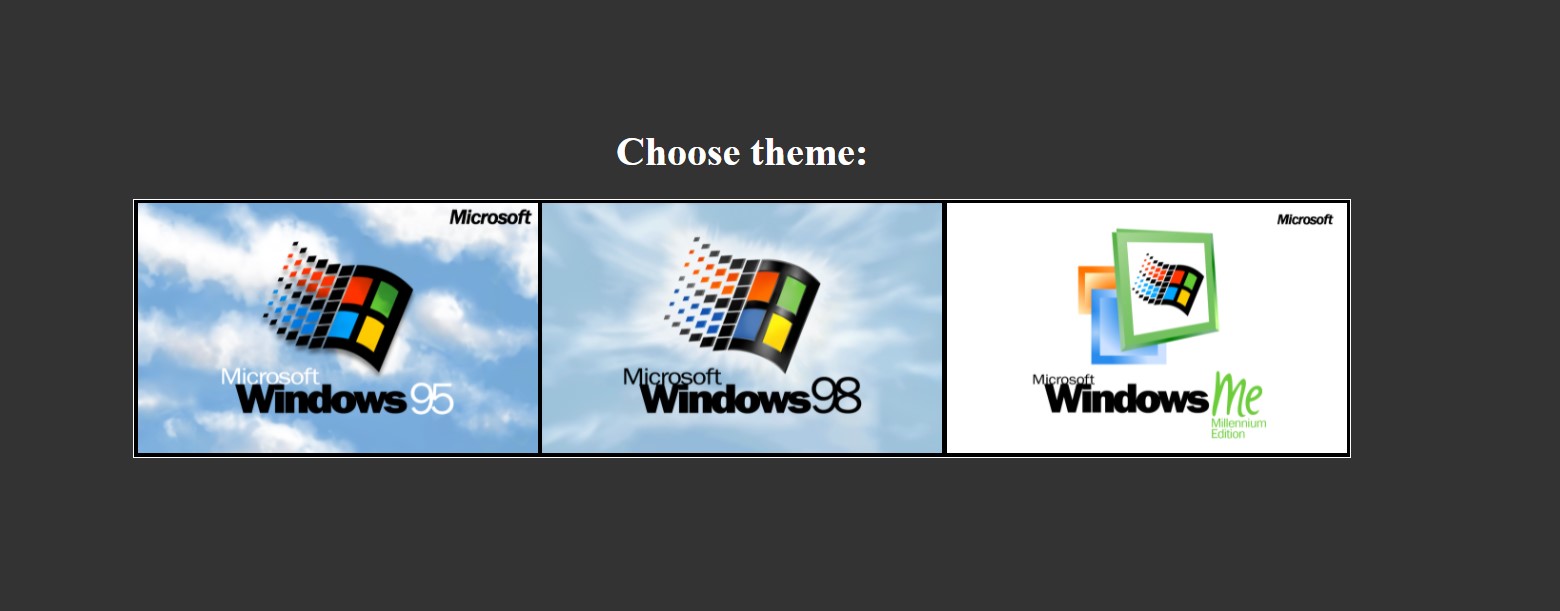
- Now choose the windows version you would like to go ahead with by simply clicking on it.
- A new window will appear which resembles a desktop on any computer.
- On the screen, you will find multiple games, applications, and software available.
- Click on any one of the applications or games and there you go!
- The game will start loading on your screen. Enjoy it for free.
- If you are specifically looking for any particular game like Minecraft then you can directly type Emupedia Minecraft. It will directly lead you to the game which will save your time and effort to follow the above steps.
List Of Games And Applications Available On Emupedia:
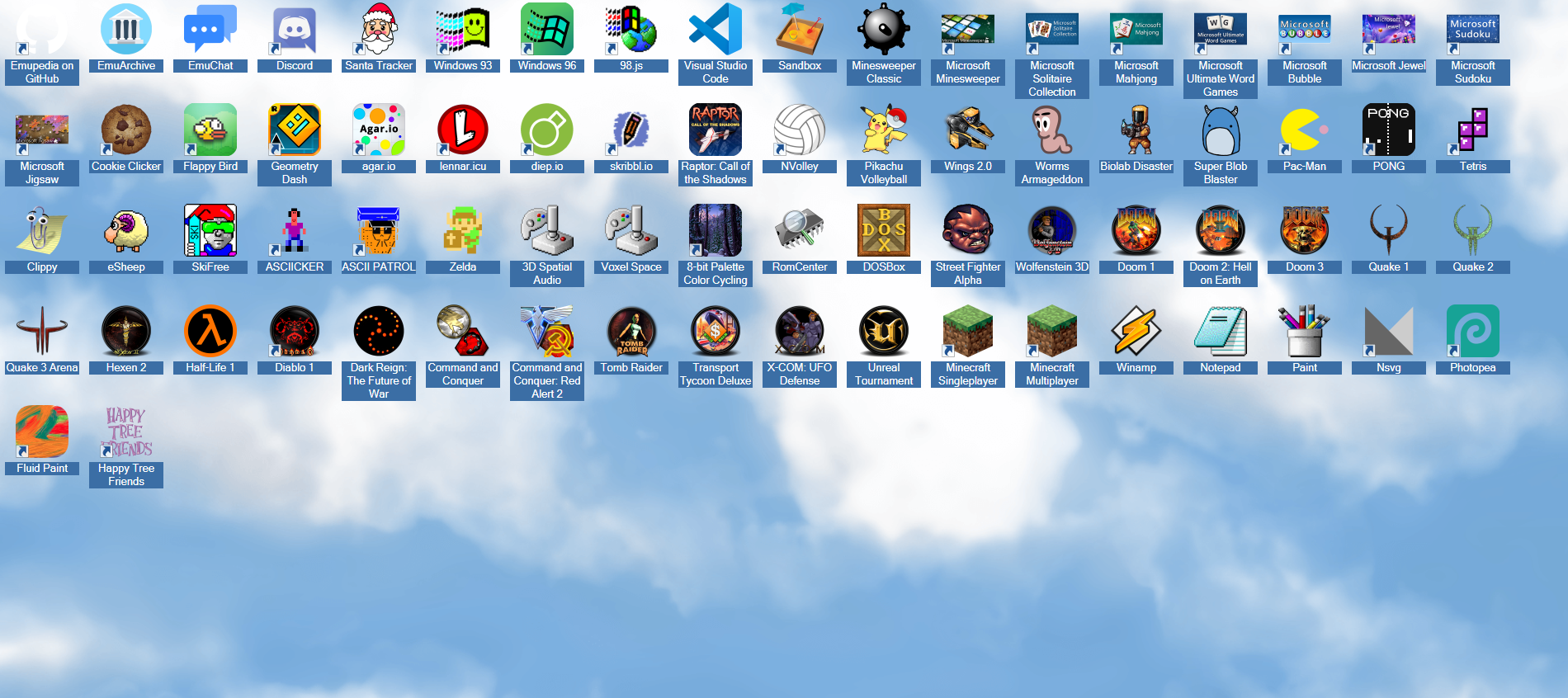
As we have already mentioned above, Emupedia does have a huge collection of paid games, software, and application. Since the list is quite long, we have mentioned only popular games that you can play on the site for free.
- 98.js
- Agar.io
- Clippy
- Cookie Clicker
- Discord
- Doom 1
- Doom 2
- Doom 3
- EmuArchive
- Emuchat
- Eupedia on GitHub
- Flappy Bird
- Fluid Paint
- Geometry Dash
- Half-life
- Happy tree friends
- Hexen 2
- Lenar.icu
- Microsoft Bubbles
- Microsoft Jewel
- Microsoft Jigsaw
- Microsoft Minesweeper
- Microsoft Solitaire
- Microsoft Sudoku
- Microsoft Unlimited Word Games
- Microsoftmohojong
- Minecraft Multiplayer
- Minecraft Singleplayer
- Minesweeper Classic
- Nsvf
- Pac-man
- Paint
- Photopea
- Sandbox
- Santa Tracker
- Skribble
- Visual Studios
- Winamp
- Windows 93
- Windows96
- Biolab Disaster
- diep.io
- eSheep
- Lennar.icu
- Tetris
Can We Download Games And Apps From Emupedia?
No, you cannot download games and applications from Emupedia. This website is purely based on providing free service online for all the available applications. You cannot download them on your PC. You can go on the website at any hour to get your hands on various things available on it.
This is everything you need to know about Emupedia.net. Check out another article to know how to get free CP in COD Mobile.