
Emotes are a fun and useful way to communicate with fellow players in PlayerUnknown’s Battlegrounds. Whether you want to applaud another player’s moves or challenge a player during a match, Emotes can help you do it all. While there are some default emotes available in the game, there are also exclusive emotes that can only be unlocked. Moreover, some emotes are only available in the shop. With such a wide variety of PUBG emotes available, it is understandable that players would want to show them off during a match. So, how can you use PUBG emotes during a match? Let us find out below.
How To Use PUBG Emotes During A Match?
Using emotes works a little differently for each platform. We have shared how you can use emotes on different platforms below.
On A PC
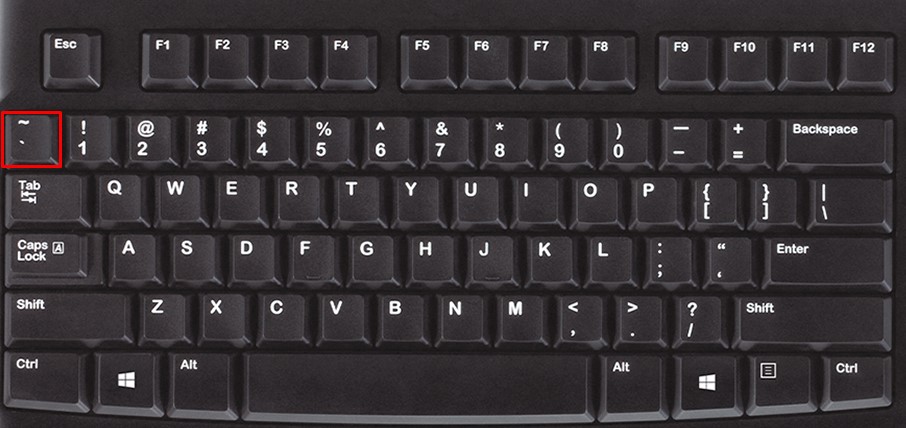
The circle which represents all the active emotes can be brought up by pressing the Tilde key (~`) on the keyboard. This key is located just above the Tab key and pressing it will bring up the available emotes that players can use during a match. From here players can select the number for their PC emote and the character will perform the selected emote. In case you are not sure about the numbers on each emote, these can be reset through the control settings.
On Xbox or PlayStation
If you are using Xbox or PlayStation, just simultaneously press the LB and RB buttons on the controller. This will bring up the emote wheel. You can then select your preferred emote with the right analog stick.
On PS4
For PS4, you can simply press the L1 and R1 buttons simultaneously to bring up the emote circle. Just like Xbox or PlayStation, you can now select the desired emote with the right analog stick.
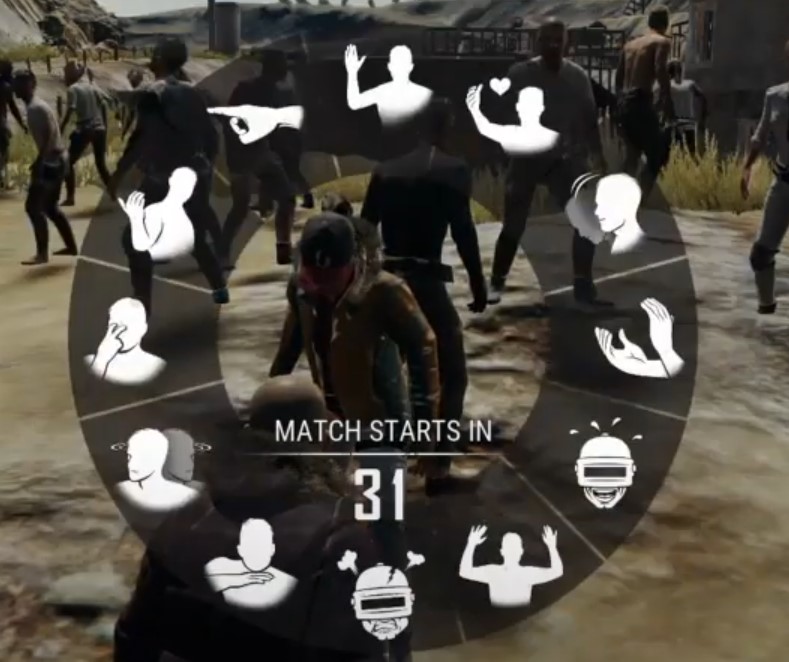
There are a number of emotes available in PUBG but players can only equip 16 at once. Below is the list of all the default emotes found in PUBG:
- Celebrate
- Thanks
- Surrender
- Hello
- Affirmative
- You’re done
- Rage
- Laugh
- Clap
- Provoke
- Negative
- Go
- Come here
- Shrug
- Jealous
- Kick
- Cry
- Cower
- Stop!
- Impatient
- Thumbs up
This is all you need to know about using emotes during a match in PUBG. For more PlayerUnknown’s Battlegrounds related content, check out How To Get Bonus Challenge Voucher In PUBG? (2022)