
Recently there has been quite an uproar within the COD Mobile gaming community. There has been widespread panic after rumors of random accounts getting deleted by their UID surfaced. The chaos kicked off when popular COD M streamer Ferg had his account banned out of the blue. Players didn’t think much of it till Bobby Plays tweeted that apparently there is a hack due to which people can delete other COD M accounts with the help of their ID and UID. This obviously caused quite an uproar as players called upon Activision to fix this issue. So, is it actually possible to delete a COD M account with UID? Let us find out.
Can Someone Delete A COD M Account With Your UID?
While it is not confirmed whether there is a site that can actually delete a player’s account without their consent, there is a way somebody else might delete your COD M account. However, this would require them to have your PID as well as UID. This is not even done through a third-party site. Activision privacy support offers the option to access, download, or delete personal information through their site. Once someone selects this option, they can go to ‘Delete My Personal Information (Right To Erasure)’.
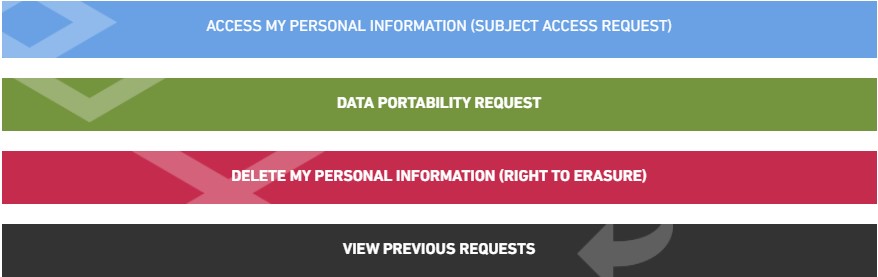
Keep in mind that this process can be performed by anyone. However, if a third party has access to your UID as well as Player ID, they can easily log into your account and choose to delete it. This is quite unfortunate as the process is irreversible.
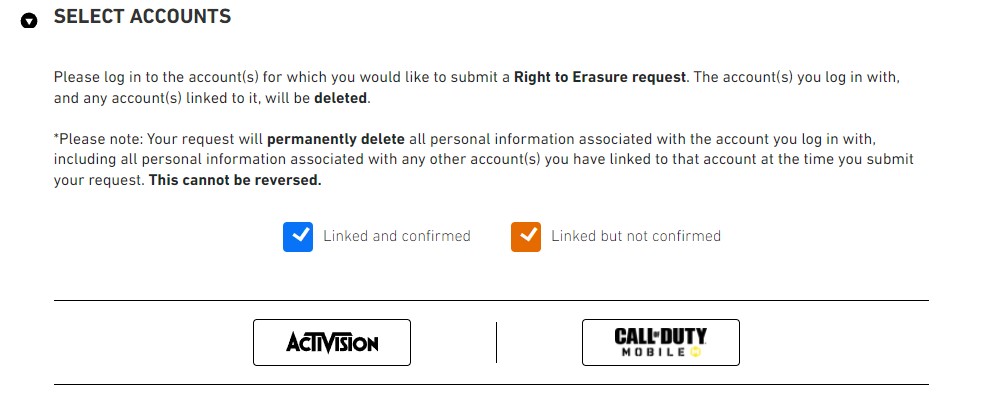
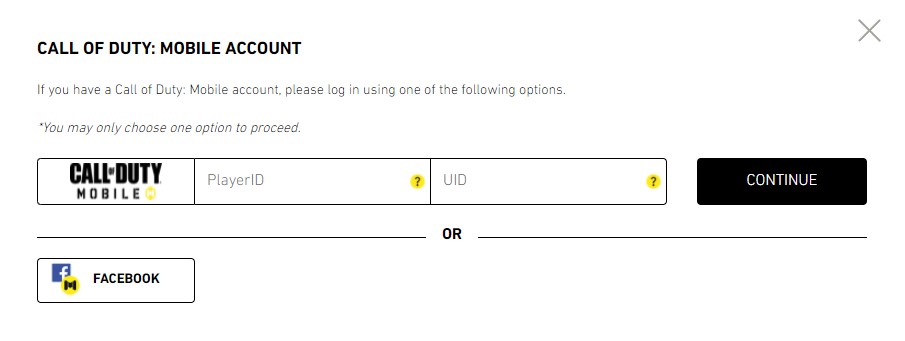
How To Safeguard Your COD M Account Against Deletion?
The best way to safeguard your account and ensure all your COD M progress is safe is to turn on the Streamer Mode. This mode scrambles your username as well as prevents hackers and scammers from viewing your UID. In addition, never reveal your PlayerID or UID to any third party. Doing this will only compromise the security of your account.
This is all there is to know about deleting a COD M account with UID. For more COD Mobile content, see Tactical Equipment In COD Mobile Explained (2022)