
Epic Seven is an action-adventure role-playing game. It has introduced lots of fun elements and has diverse challenges. These challenges or missions give many kinds of items and rewards, such as background packs. If you got any beautiful and stylish backgrounds as rewards. Check out this guide to learn how to change a background in Epic Seven.
Epic Seven (E7): How to Change Background
How to Change Character Background
- Open your game and go to the Lobby. Tap on any character and choose “Details“.
- You can also select “Hero” from the bottom of that Lobby.
- Hit the “Details” button from any character’s page.
- You will see the “Background Pack” option. Tap on it.
- It will now show you all the present backgrounds. You can check and change the background by tapping on the picture.
- For now, all your characters will have the same background. But in the future, you might be able to set custom backgrounds for all your characters or most of them.
How to Change Lobby Background
- On the upper left corner of your screen, beside your name and rank is a small house-like icon. Tap on it.
- There are three options for now: Pub, Hero, and Illustration.
- Pub is the default lobby background.
- Hero option lets you choose a hero as your lobby background.
- You can make changes in the Hero lobby background by tapping on the “Details” option.
- You will now see all the heroes you can choose as background. Tap on any of them.
- Scroll them left, right, up, or down. And Zoom in or zoom out to adjust.
- You can change their clothing, expression, and background.
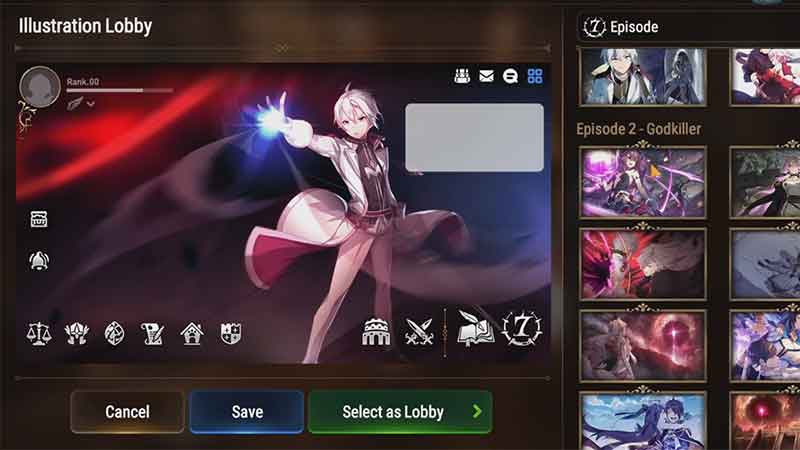
- After you are done making the changes, tap on the “Select as Lobby” button to set it.
- You can change the Illustration lobby background by pressing “Details” and selecting any illustration you unlocked in Episodes.
This is all you need to do to change the background in Epic Seven E7. If you are looking for more such guides. Check out how to beat Abyss 85 and 1-10 Ervalen.