
Brawlhalla is a free-to-play fighting game developed by Blue Mammoth and Ubisoft in 2014. Any game is more fun if you could play it with your friends. There are plenty of people who want to play Brawlhalla with their friends but they don’t know how it is done and if that’s you then look no further as we have you covered.
How To Play Brawlhalla with Friends?
To play Brawlhalla with your friends, you will have to follow a few simple steps. To know what these steps are then keep reading this post.
Here are all the steps to create room and play Brawlhalla with your friends:
1) Launch the game on your device.
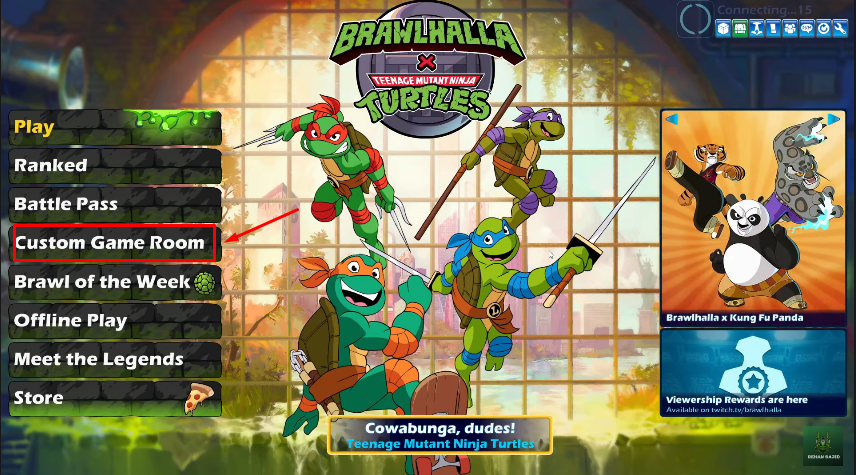
2) Click on the ” Create GameRoom” option on the left side of your screen.
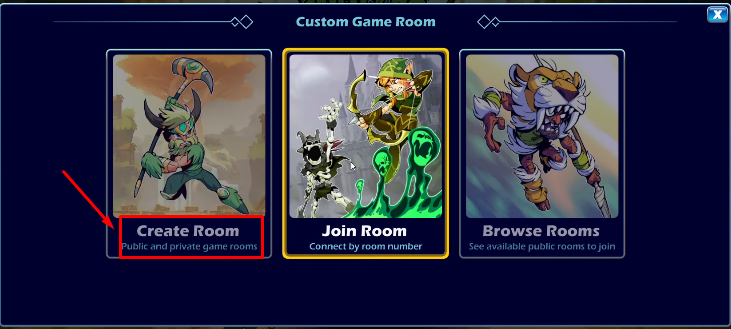
3) Next, you will get three options — Create Room, Join Room, Browse rooms. Click on the ‘Create Room’ option to play Brawlhalla with your friends.
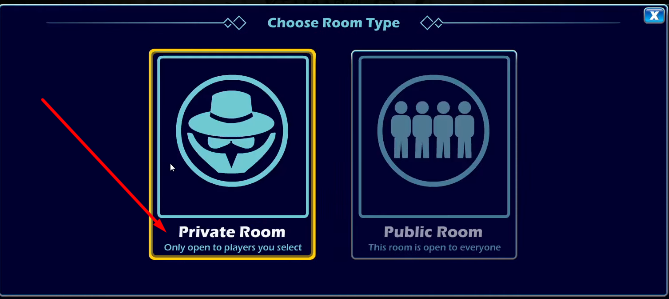
4) A new window will open again with two options. Click on the ‘Private Room’ option to create a separate room for your friends.
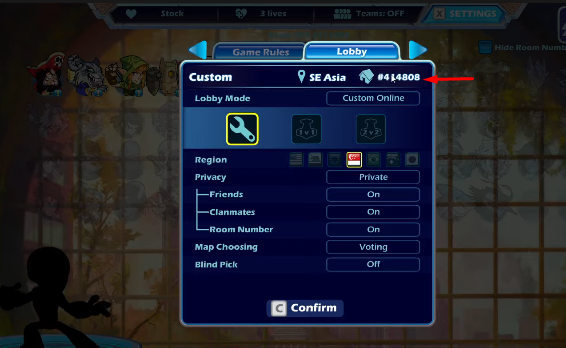
5) On the top of the screen find settings and click on it.
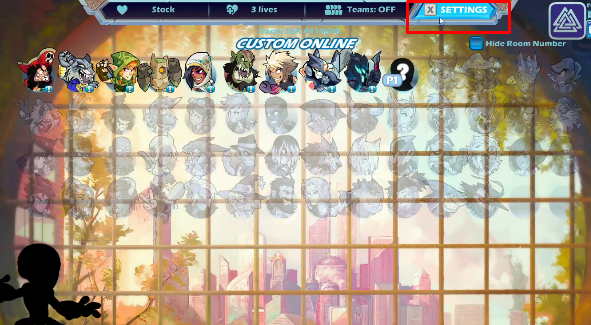
6) Go to Lobby and get your private room code on the top right corner of your screen. Copy this code and send it to your friends with whom you want to play Brawlhalla via any preferred messenger. Eg. Discord, Facebook, or any!
Ask your friends to join the room using this code and enjoy your favorite game with your friends!
How To Join Room In Brawlhalla?
Follow the below mentioned steps to join the room created by your friends:
1) Launch the game. Go to create room from the left side menu.
2) Click on the join room.
3) Enter the private room code shared by your friend.
4) And it’s done!
That is everything you need to know about how to play Brawlhalla with your friends. Create a room and enjoy with your friends. For more information read another article on Brawlhalla Ranking System, Tiers, And Ranks.