
Mobile Legends Bang Bang is a MOBA game where you can add & invite new friends to play with. Grinding alone is not a bad idea but grinding with playing friends will get you the best gameplay experience. Teaming up with someone will not only improve your gameplay skills but also increase your Familiarity with them. And increasing the Familiarity grants both parties various kinds of rewards. So if you’re new to the MLBB and not sure how you can add & invite friends to a match, then we’ll help you with it.
How Can I Add & Invite Friends in Mobile Legends Bang Bang
To add & invite new friends in Mobile Legends, click on the Add user button and search for the player’s Name or ID. Once you find them, simply hit the Follow button to send a friend request. And after they follow you back you can invite them to the match by pressing the + button. For a better understanding, below we have explained the same process step by step.
- First, launch Mobile Legends Bang Bang on your device.
- Next, click on the Add User button located on the right side of your screen.
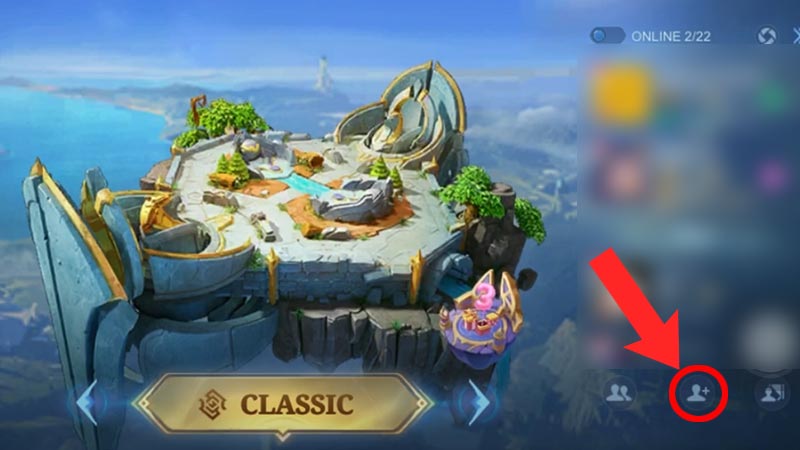
Source Image: Tongplay - After that, search for the player you want to add by entering their Name or ID.
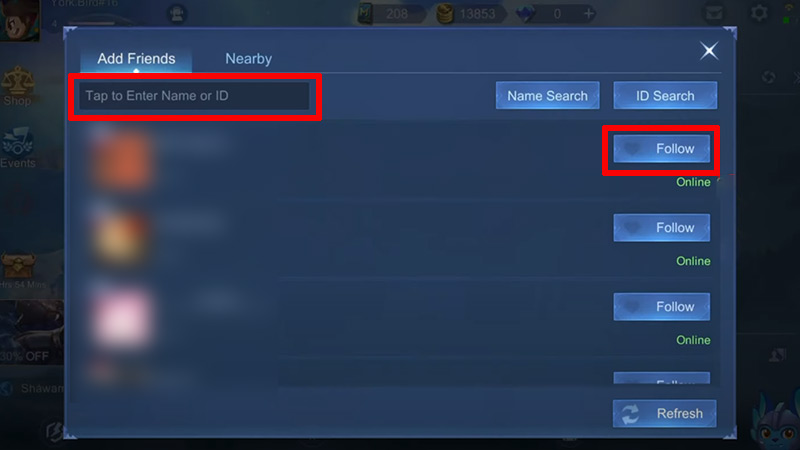
Source Image: Foxy Tech Tips - Once you find them, hit the Follow button to send a friend request.
- If the player follows you back, then they’ll be added to your friend list.
- Now to invite them to the game, first join a room, such as Classic or Ranked.
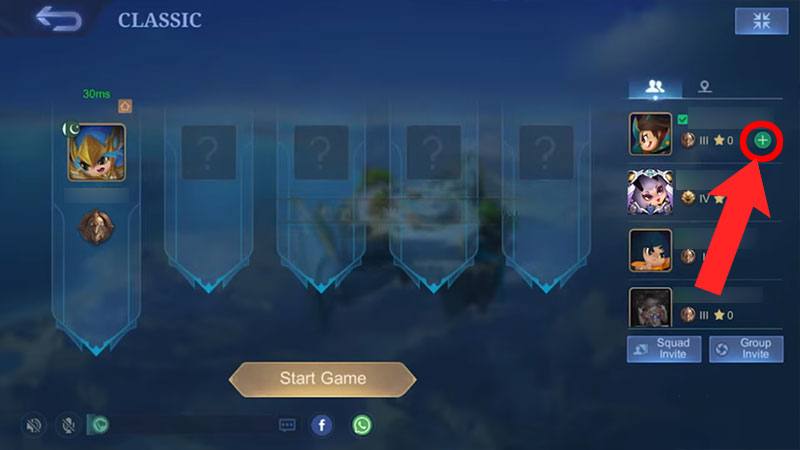
Source Image: Raja Waric - Then, on the right side, you’ll see the players list whom you can invite by pressing the + (Plus) button.
And voila, now you can play with them and increase your Familiarity points quickly. The game even allows you to add players from your Facebook account. To do so, click on the Facebook button located beside the Add User button.
This is all you need to know about how you can add & invite friends in Mobile Legends Bang Bang (MLBB). If you haven’t been on the Advanced Server yet, then check out how you can access it. Also, take a look at the Tips & Tricks to Rank Up quickly in MLBB.