
Ragnarok Origin is a highly engaging game with various classes and roles. Players from all over the globe have become part of it. Previously this version of Ragnarok was only available on mobile devices, but recently it got a monitor version, and here is how to play Ragnarok Origin on PC.
The PC version is more stable, smooth, and graphically striking than the mobile version. Thus many are opting for this. But, installation, control, and requirements can be difficult to understand. So keep reading it and get answers to all your questions.
Play Ragnarok Origin on PC – Installation, System Requirement, and Control
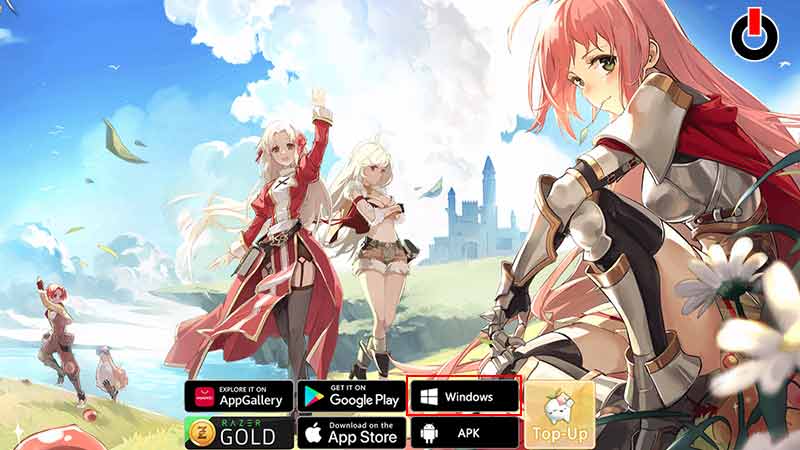
To download the Ragnarok Origin PC installer, follow this link and tap on the Windows button. Choose your destination and extract the file. Once you have successfully installed the game launcher, go to it and start the installation by clicking the Start Download button. This step might take some time as the file is big. Once done, press the Start button and resume your gaming journey.
System Specification for Ragnarok Origin PC
- Operating System – Windows 7 or higher
- Memory Storage – 8GB RAM
- Required Graphics Card – GTX1050 or higher
- Free Storage – 10GB
Basic RO Controls
ALT+Enter helps you shift between screen modes. WASD are movement controls. F1-F4 are item slots, and 1-6 are skill slots. Use Tab to aim, F to interact, and E to change skill sets. If you are tired of manual battle, switch to auto-battle with the K key. Lastly, use Space to skip dialogues and Enter to launch the chatbox in RO PC.
For now, the game is only available for Windows users. So if you are on a Mac or any other system, you have to use an emulator or wait for makers to launch it for other PC versions.
This wraps our installation, system, and control guides to play Ragnarok Origin on PC. Hopefully, this guide was helpful to you. If it was, skim through our other guides and read articles like Best Paladin Build and Best Sniper Build.