
Shroud is one of the most followed Twitch Streamers with 9.5 Million followers. He is famous for his world-class records and streams in Counter-Strike: Global Offensive (CS: GO). He is an “FPS GOD” of all the battle royale and first shooter games.
After investing a long time in the CS: GO now Shroud has finally shifted to Valorant. If you like the gameplay of Shroud and want to play like him then here are all the settings that he uses while playing Valorant.
Valorant Shroud Settings – 2021
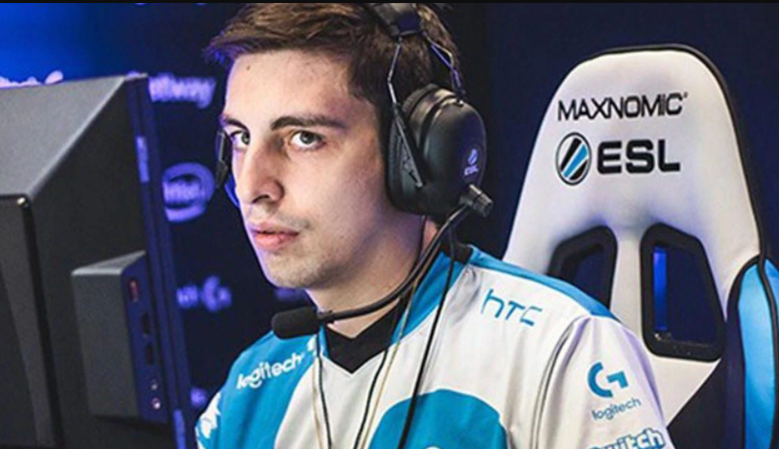
Shroud Valorant Gears:
- SEHeadset – Logitech G Pro X Wireless Headset SE
- Monitor – Alienware AW2721D
Shroud Valorant Keybind Settings:
Shroud uses Logitech G Pro X Keyboard as gear. Here are all the settings that he uses to play Valorant.
- Walk – Left Shift
- Crouch – Left Ctrl
- Jump – Spacebar/ Mouse Down
- Use Object – F
- Equip Primary weapon – 1
- Equip Secondary Weapon – 2
- Equip Melee Weapon – 3
- Equip Spike – 4
- Using or Equip Ability 1 – E
- Using or Equip Ability 2 – Q
- Using or Equip Ability 3 – C
- Using or Equip Ultimate Ability – X
Shroud Crosshair Settings:
- Colour – Cyan
- Inner Lines – 1 / 8 / 2 / 5
- Outlines – On / 1 / 1
- Outer Lines – 0 / 0 / 0 / 0
- Center Dot – Off
- Fade – Off
- Movement Error – Off
- Firing Error – Off
Shroud Valorant Mouse Settings:
The Preferred mouse by Shroud is Logitech G Pro X Superlight. And here are all the settings for the same.
- DPI – 450
- In-game Sensitivity – 0.78e
- DPI – 351
- Scoped Sensitivity M. – 1Hz – 1000
- Windows Sensitivity – 6
- Shroud Valorant Settings: Crosshair
Shroud Minimap Settings:
- Rotate / Fixed Orientation – Rotate / Based on Side
- Minimap Zoom – 0.843
- Keep Player Centered – Off
- Minimap Vision Cones – On
- Minimap Size – 0.978
- Show Map Region Names – Never
That is everything you need to know about preferred settings used by the Famous Twitch Streamer Shroud in Valorant. This is his preference, and it’s not necessary that every player will be comfortable with the same.
You can make your own changes in the settings for crosshairs, keybinds, mouse, and everything in the game. Read more about what ts Crosshair in Valorant?