
Google Chrome has made it quite easy to access multiple accounts through a single device. Users can easily switch between profiles with this option. It is quite easy to add and delete a Google account to Chrome and the computer.
If users need to remove an old Google account, we have explained the procedure to do so below.
How To Delete A Google Account Profile From Chrome?
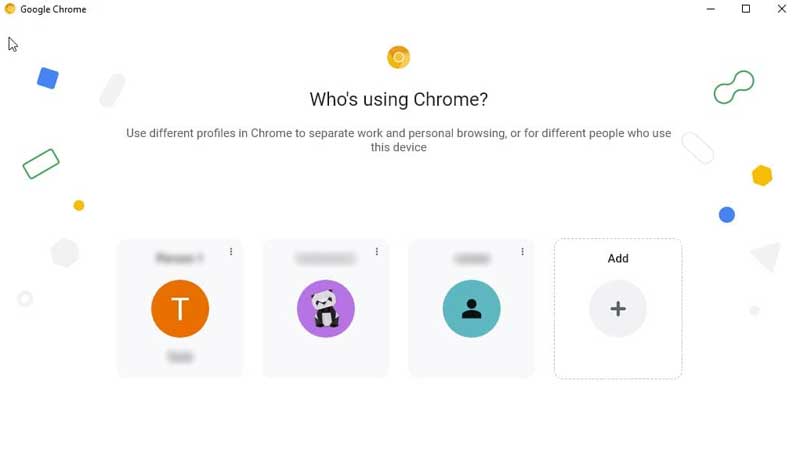
The process to delete a Google account for Chrome on a computer is quite easy. Users can just follow the steps given below to do so.
- Open the Chrome browser on the computer.
- Select the account that needs to be removed.
- Click on the profile picture in the upper right corner of the window.
- From the menu, click on the settings icon next to the Other profiles option.
- Now, users will get to see all the registered Google accounts on the device.
- To remove a specific account, players must click the three vertical dots in the corner of the profile.
- Once users click it, they will get the option to Edit or Delete.
- Users can now click Delete to remove that profile from Chrome as well as the computer.
- Now, users will be asked to confirm if they want to delete the profile.
- All users have to do is to click the red Delete button again.
- After a brief moment the Google account will be removed from the Chrome device.
If users need to access that account again, they will have to create the account again. All the browsing history as well as the saved passwords associated with that account will also be deleted. This action is not reversible.
This is how players can remove a Google account from Chrome and their computer. For more Google guides, check out How To Delete A Google Account From Chrome?