
Wouldn’t it be nice to download and install the Google Play store on your Laptop or Pc? You can easily run it on your system using various methods. Running a Google Play Store on your computer will allow you to play mobile games and download several mobile apps easily. So what are you waiting for let’s see how you can do it.
How To Download & Run Google Play Store on Laptop or PC
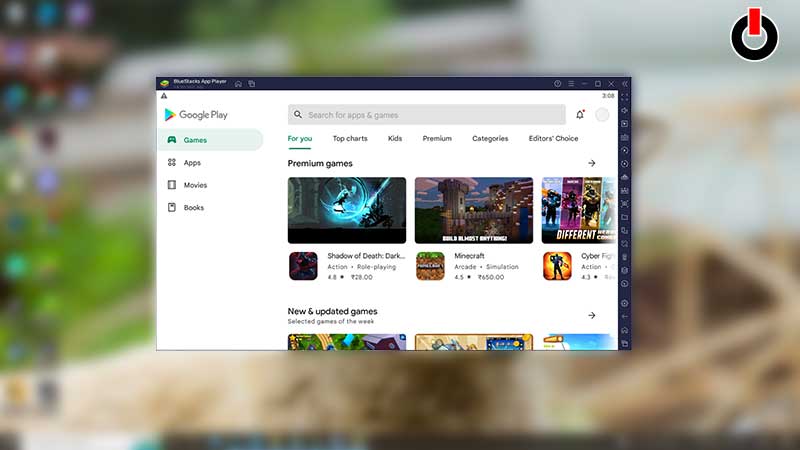
There are various ways to download & install Google Play Store on your Laptop or Pc. But the easiest way to do that is by downloading a third-party Android Emulator. There is a number of Android emulator available in the market but users prefer using the BlueStacks emulator more often. So without any further ado let’s see how you can do it.
- First, open your web browser and search for the BlueStacks.exe file.
- Then, simply download it on your PC or Laptop.
- After that install and run the BlueStacks file on your system.
- And then, the user will need to enter the required information and also need to log in via a Gmail account.
- After setting up an account, go ahead and download the Google Play Store via the Bluestacks Android emulator.
- And that’s it, now you can easily download mobile apps on your laptop or PC.
If the BlueStacks emulator is not compatible with your system, then check out these Best Android Emulators for low end PC.
Before you start following the steps mentioned above, make sure your Pc or Laptop has all the required specifications to run BlueStacks.
System Requirements To Run BlueStacks
To run BlueStacks on your system, here is the minimum specification that you will require.
- Microsoft Windows 7 or newer
- Intel or AMD Processor
- At least 4 GB RAM
- At least 5 GB of Disk Space required
This is all you need to do in order to download a Google Play Store on your computer. If you want more techy tips, then we have several Tech guides ready for you, do check them out.