
Retro Bowl is a retro-style casual sports game. It uses a pixelated interface and characters. You are supposed to handle players, press duties, and manage the roster in the game. But if you are new, you might find them a little difficult to do. So here is how to play Retro Bowl for gamers.
Retro Bowl: How to Play Football Game
When you start a new game you are asked to fill in your first and last name. And your favorite team, which you can choose to start with. There are AFC and NFC teams like Buffalo, Las Vegas, Kansas City, Carolina, Detroit, and Dallas. Now the game will give you the option of Skip tutorial and Ok. It is preferred to go through the tutorial to get a gist of the game. But if you want to skip it, just follow this guide.
The game starts on the home screen, which has divisions and schedules. Three options help you in managing and upgrading. Let us learn about them one by one.
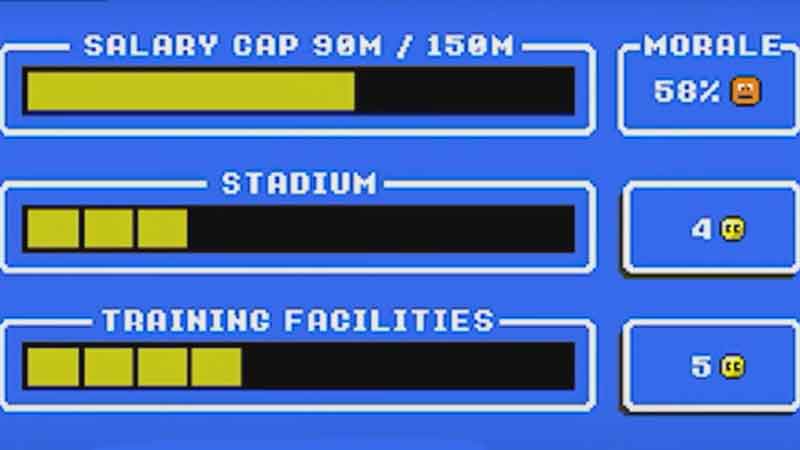
The first one is Front Office. Once you have learned the division and schedule, tap on the “Front Office” button at the bottom of the home screen. You can upgrade facilities and staff from this Front Office window. This window will have Salary Cap, Stadium, Training Facilities, Rehab Facilities, Morale, and more.
Now come back to the home screen and choose “Roster” from the bottom. The Roster has 10 to 12 players. They are your Star players whom you have to manage, and others will fall into line. You can tap on the player to check its Condition, Morale, Age, and other Attributes.
Controls
Once you are done with Front Office and Roster, tap on the Continue button from the home screen to play the game. Now let us learn basic controls. To pass the ball, first, drag it in the opposite direction of the receiver to make the aim and then release it to make the throw. You can swipe up and down to perform side-step, swipe back to slow up, and swipe forward to dive. To kick, you will have to set the power of your kick, then tap to set the aim direction, and finally tap to kick the football.
In this guide, you learned how to play Retro Bowl. If you are looking for more gaming articles. Then check out the Best 1 and 2 star characters of Alice Fiction and how to get EXP in it.