
Do you want to change your email address in Genshin Impact? Then here is a detailed guide with all the steps for the same. One might want to change the email for various reasons: if they lost their old email, to reroll in the game, or can be anything.
So, if you wish to change your email address and link it with another one then here is a step-by-step guide for you.
Genshin Impact: How To Change Email On Pc?
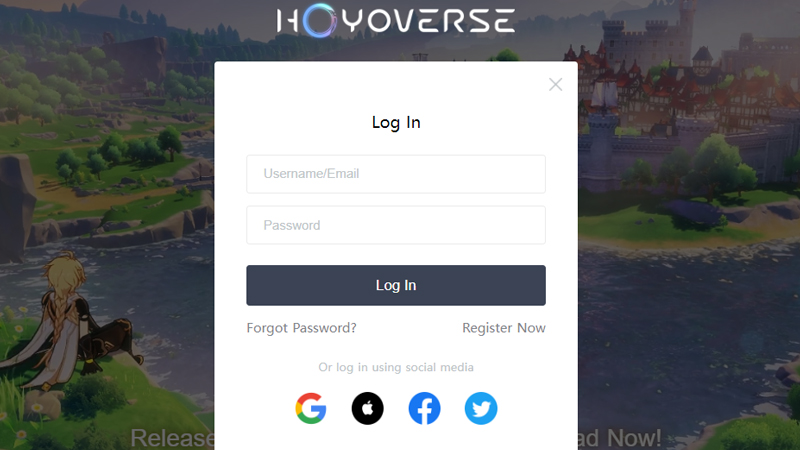
Here are all the steps to change your email address in Genshin Impact on PC. But before head to there make sure you have your Hoyoverse account to save all your progress in the game.
- Go to the official site of Genshin Impact.
- Or click on the link and we will redirect you there.
- Click on the login from the top right corner of your screen.
- Enter your email ID username and password and log in to your account.
- Next, click on the ‘Account‘ and log in again to your Hoyoverse account.
- Head to the Account Security Settings and click on the Modify link next to your email ID.
- Obtain a verification code that will be sent to your registered email ID and validate it.
- Hit on the Next button below it to go to the next screen.
- Now enter the new email ID that you want to switch to, get the verification code, and link it to Genshin Impact.
How To Change Your Email From Your Mobile?
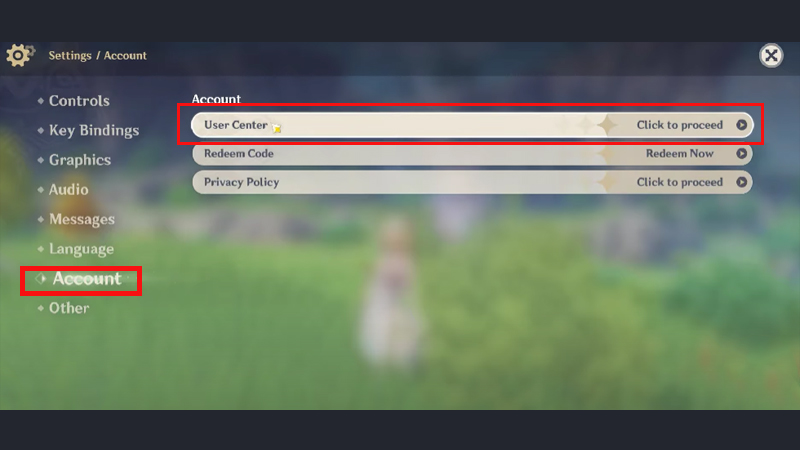
Check out the steps to change your registered Genshin Impact email ID from your mobile:
- Launch Genshin Impact on your mobile.
- Now click on the Main Menu and go to Settings.
- Click on Account on the next screen to see all the account details.
- You will find three options now. Press click to proceed next to User Center.
- Hit on ‘Modify Link‘ next to your email ID.
- Get the verification code for your registered email id and validate it.
- Enter the new ID and get a code on it and link it to your device successfully.
This is everything you need to know about how to change your email in Genshin Impact. Click on the link and have a quick look at our another guide on how to count pity in Genshin Impact.