
The early version of PUBG mobile was capped at 60 FPS but the newest update 1.5 has allowed the players to unlock the game up to 90FPS on high-end mobile phones.
On what phones can Players achieve 90FPS?
Any android mobile phone with a minimum of 6GB/8GB RAM can easily achieve 90FPS for any given game. The main issue here is that the display screen of the mobile should have a minimum refresh rate of 90 Hz or above to render the required FPS.
Also Read | Top 20+ Mythic Outfits That You Can Get In PUBG Mobile
Otherwise, it would of no use if your mobile renders the game at 90FPS and your screen displays the game at 60Hz. The following Android models can render and display the game at a minimum of 90FPS.
- Moto G30
- Samsung Galaxy M12
- Realme 7 series
- OnePlus Nord
- Mi 10
- Vivo X50 Series
- Samsung Galaxy A52
How to enable 90 FPS in PUBG Mobile?
Players need to update their PUBG Mobile to the latest version to enable the 90 FPS option for their Game. If players cannot update their game through the official Play store they can always download the latest configuration version of the game file from here.
Download 90 Fps Configuration file for PUBG Mobile 1.5 (Latest): Link
- Download the required configuration Zip file from the above-mentioned link.
- Once downloaded, extract the zip file using any Zip extraction software or the default File Manager of your Android Phone.
- Copy and Paste the file named “game_patch_1.5.0.15349.pak” from the unzipped folder as follows
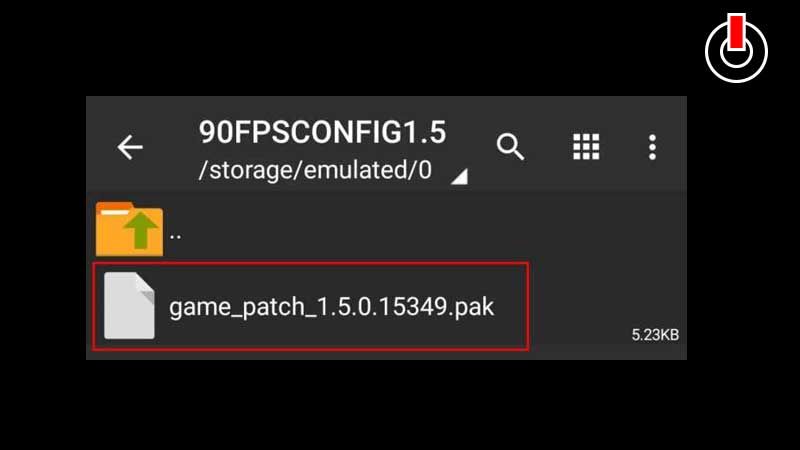
For PUBG Mobile Global Version
- Android -> data-> com.tencent.ig -> files -> UE4GAME -> ShadowTrackerExtra -> ShadowTrackerExtra -> Saved ->SavedGames -> paste or replace here.
For PUBG Mobile KR Version
- Android -> data -> com.pubg.krmobile -> files -> UE4GAME -> ShadowTrackerExtra -> ShadowTrackerExtra -> Saved ->SavedGames -> paste or replace here.
For PUBG Mobile Vietnam Version
- Android -> data -> com.vng.pubgmobile -> files -> UE4GAME -> ShadowTrackerExtra -> ShadowTrackerExtra -> Saved ->SavedGames -> paste or replace here.
For PUBG Mobile Taiwan Version
- Android -> data -> com.rekoo.pubgm -> files -> UE4GAME -> ShadowTrackerExtra -> ShadowTrackerExtra -> Saved ->SavedGames -> paste or replace here.
For Battlegrounds Mobile India
- Android -> data -> com.pubg.imobile -> files -> UE4GAME -> ShadowTrackerExtra -> ShadowTrackerExtra -> Saved ->SavedGames -> paste or replace here.
That’s everything you need to know about how to enable 90 FPS in PUBG Mobile.