
The days are gone when we had to rely on third-party screen recorders to record and save our special MLBB game battles and moments. Fortunately, Mobile Legends now has this built-in feature through which you can save your recent battle replay directly to your device’s local storage. Furthermore, the process is straightforward, so here is the guide to help you download and save battle replay in Mobile Legends.
Download Replay Mobile Legends Bang Bang
For this, all you have to do is head to your in-game profile setting and from there you can access the battlefield videos that are auto-saved for five days.
- Firstly, open the Mobile Legends game on your device.
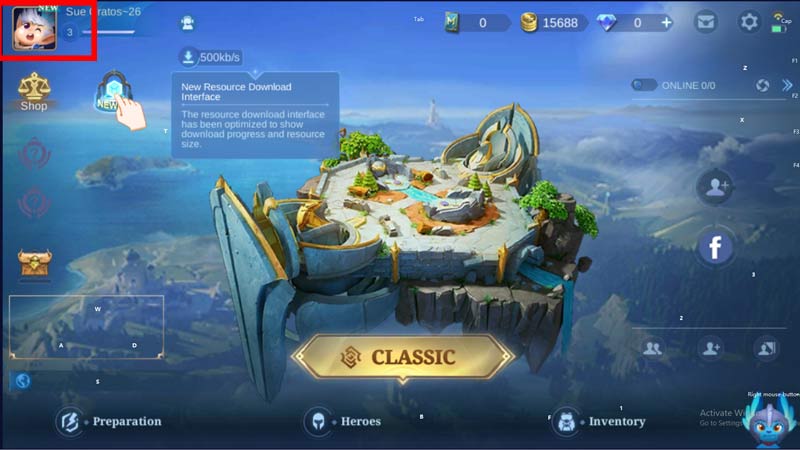
- Now, from the game, lobby, click on your profile to access the profile options.
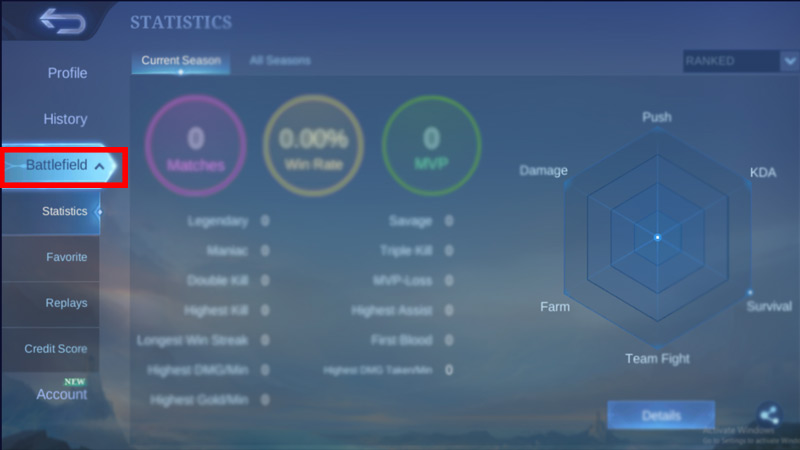
- Next to the left-side options, click on the Battlefield option.
- Now, in the submenu, click on Replays.
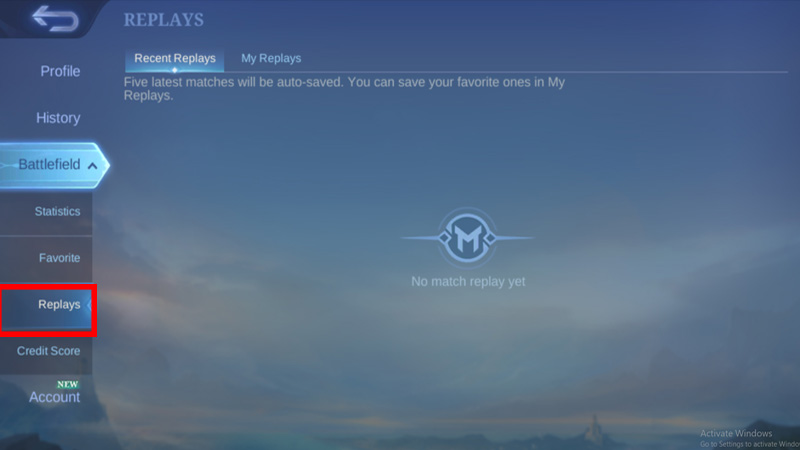
- Here you will find all your recent battle replays which can be viewed and downloaded, Click on the Save Now button to move it to the My Reply section.
- Now, to download it to your device locally, just head to the My Replays option and click the down arrow button beside the replay you want to be saved to start downloading it.
Now the replay will be saved to your device locally, you can use it in your social media handle for YouTube to build your audience community.
Additionally, If you find an issue saving the video to your devices, you can use other third-party apps and screen recorders to record and save the replays.
And that’s everything covered for the guide to download replay in Mobile Legends. Moreover, you can use the live streaming feature in MLBB to stream your gameplay live to your friends. If you find this article helpful, have a look more at this game like, how to add or invite friends to MLBB. Lastly, check out the Mobile Legends section on GamesAdda to find more helpful tips and guides.