
Among a lot of features offered in the game, one of them is quite interesting and makes you want to try it. A lot of players are searching for how to use Parent in Melon Playground. If you’re one of them, you’ve landed in the right place. In this guide, we have covered how you can use the this feature without any hassle. Check out this guide and you will be on your way to exploring the game further.
How to Use Parent in Melon Playground
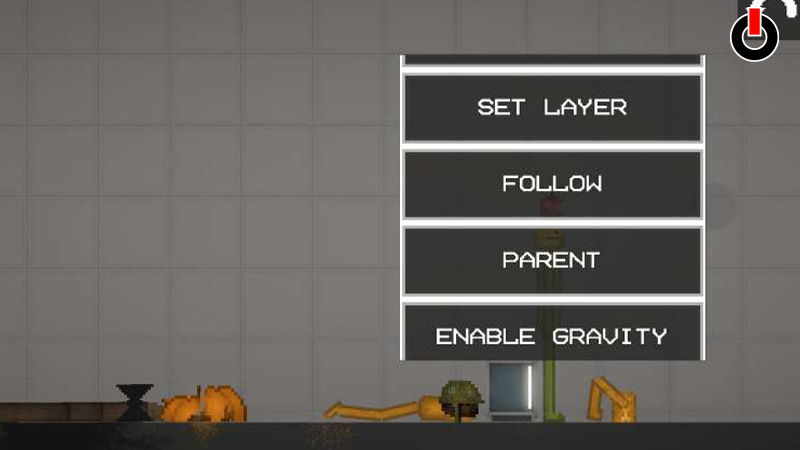
Parent is a feature in the game that conjoins two objects and unifies them. By using this feature, you can control the movements of multiple objects at once and place them wherever you wish to.
This feature can come in handy when you’re trying to build something or make something work in the game. It saves time and effort as you wouldn’t have to select each object separately. Refer to the steps given below to use the feature.
- Launch Melon Playground on your device
- Choose the Map you wish to play in
- Select any two objects from the Menu and place them on the map
- Long press on a corner adjacent to the objects and create a rectangle
- Cover the objects in that rectangle
- Now, double-tap on any one object
- A menu will appear on the screen
- Scroll down and select Parent
Now you will be able to move the objects anywhere on the map with a single touch. Sometimes, this feature may not work as explained, in that case, select other objects and try again.
This is all you need to know about how to use Parent in Melon Playground. Hopefully, this guide was helpful to you. While you’re here, you can feel free to browse through other similar articles such as How to Select Multiple Items in Melon Playground? and How to Make Living Walk?